
Full stack web app developer in Indianapolis, Indiana
Your quotes and customer records live in spreadsheets and inboxes, or your website can’t do the one thing customers need, like logging in, paying, saving something or getting a calculated price. That’s when a web app starts to make sense. Trojan Digital Marketing builds focused web apps for small and midsize businesses from Indianapolis, Indiana: customer portals, quote calculators, admin dashboards and API integrations that need real code. We market what we build too, so people find it and use it after launch. You can try one of our apps before you call, and custom builds are quoted after a free call.
Searching for a developer job? This page is for businesses that want an app built.
- Based in
- Indianapolis, Indiana
- App you can try today
- Jev Website Scanner
- Live websites we run
- 1,400+
- Custom build price
- Quoted after a free call
Or call (317) 981-2386.
- Foundpage list saved
- Startedfree start, Stripe payment or included rescan
- Reading5 pages a step
- Donereport link emailed
Is a web app the right build for you?
Sort it by what your customer has to do on the screen. Pick the lane that sounds like your business, and its button takes you to the page that fits.
What does your customer do on screen?
Customers read, then call or fill in a form
A marketing website does this job. You need clear pages, proof and a form that reaches you.
See website designData moves between tools you already pay for
Routing a form into your CRM or sending a reply after hours is automation work, set up inside the tools you have.
See inquiry automation- This page
Someone logs in, pays, saves or calculates
That takes a database, logins or payments, admin screens and endpoints of your own. It’s what we build here.
What we’d build first
Where’s the line on integrations? A built-in connector, a Zap or inquiry routing belongs on our automation page. It becomes a build here once the connection holds your business rules, runs at high volume, carries sensitive data, or needs a signed webhook, its own endpoint or its own database of record. Connect the tools you already pay for
How do the four layers of a web app fit together?
Every app we build has the same four layers. The drawing is our own scanner’s stack, and each layer below says what it does there and what it would do in yours.
Browser · what people see and click
- What it is
- The screens your customers and staff use, like a login or a price that updates as they type. We build them in React and TypeScript, and pages render on the server first, so they load fast and still read without scripts.
- On our scanner
- The browser drives the scan. It asks the server for the next 5 pages over and over, with 2 lanes working at once, until every page is read. Close the tab and the report link picks up where it stopped.
- In your app
- A quote form that shows the price as the customer picks options, or a status page they open from a private link.
API · the rules
- What it is
- Server routes that check every request before anything touches your data. Your pricing rules, permissions and limits live here, where nobody can skip them by editing the page.
- On our scanner
- Each connection gets 20 site lookups, 3 free scans and 20 checkouts a day, and each email address gets 3 free scans a day and 10 a month. Cloudflare Turnstile screens out bots before a scan starts.
- In your app
- Your discount rules, and who’s allowed to see which jobs.
Database · what the business keeps
- What it is
- One place of record for jobs, quotes, customers and history. We use Cloudflare D1, which runs SQLite, and Drizzle migrations so every change to a table is written down.
- On our scanner
- Five tables hold scans, pages, links, daily limits and free-scan history. A unique index lets each domain claim one free scan, so two open tabs can’t both get it.
- In your app
- The spreadsheet your team calls “the real one”, rebuilt with statuses, a change history and an export button.
Integrations · everything outside
- What it is
- Payments, email, texts, calls and other companies’ APIs. Every connection gets a timeout and a retry plan, and we check signatures whenever the other side signs its messages.
- On our scanner
- Stripe Checkout sells the $99 audit and $19 rescans. A paid scan starts once Stripe confirms the payment, and the webhook’s signature is checked before it’s trusted. Calls to TypeSafe’s Jev API run 4 per step, with 2 lanes running at once. Google PageSpeed runs the speed test and Resend emails the report link.
- In your app
- QuickBooks, your CRM, Twilio texts or a supplier’s price list, when their API allows it.
What our own apps run on
- TypeScript
- React 19
- Cloudflare Workers
- Cloudflare D1 (SQLite)
- Drizzle ORM
- Zod
- Stripe
- Resend
- Twilio
- Vapi
- Turnstile
We build on that stack, and if your project needs something we don’t use, we’ll say so on the first call.
What would we build first?
Start with the one job that eats the most hours each week and build that before anything else. Pick the line that sounds like your office to see the first build, what it looks like on our side and what moves the quote.
After the free call you get a written scope with the first build, its dates and its price, and nothing starts until you agree to it. See every step
What happens in your office?
We work out prices by hand
- Build first
- A quote calculator on your site that runs your pricing rules and emails you every quote it gives.
- Like ours
- Our invoice and estimate generators do exact money math in each currency’s smallest unit across 37 currencies, so a total never drifts by a rounding error.
- Quote
- Quoted after a free call. The number of pricing rules and options moves it most.
Staff copy the same details between systems
- Build first
- One endpoint that takes each record once and writes it everywhere it needs to go, with a log you can read when something doesn’t match.
- Like ours
- Every inquiry on this site is saved to our database before anyone gets a text or an email, and each alert is claimed once, so a retry can’t send it twice.
- Quote
- Quoted after a free call. Each outside system it talks to adds to it. If your tools already connect with a built-in connector, start with our automation page.
Customers call to ask where things stand
- Build first
- A status page each customer opens from a private link, fed by the record your team already updates.
- Like ours
- Every scanner report lives at its own link, and opening that link again resumes a scan that stopped.
- Quote
- Quoted after a free call. A private link is a smaller build than full customer logins, and we’ll tell you which one you need.
We want to take payment for something online
- Build first
- Stripe Checkout tied to your own records, so a paid order releases the right thing on its own and a failed payment releases nothing.
- Like ours
- Our scanner sells a $99 audit and $19 rescans this way. Stripe’s webhook signature is checked, and a unique index makes sure one payment pays for one scan.
- Quote
- Quoted after a free call. Stripe bills its own processing fees directly.
Our team runs on “the real spreadsheet”
- Build first
- An admin screen over a real database, with statuses and a history of every change, so nobody keeps a copy on the side.
- Like ours
- Our inquiry pipeline moves each lead through new, contacted, booked, won, lost or junk, and database triggers keep a history of status changes that can’t be edited.
- Quote
- Quoted after a free call. How many kinds of people log in moves it most.
What have we built that you can check?
Everything in this section is ours. We built it, we run it, and you can open most of it right now. None of it is a client’s app, and when we have one to show, it’ll be labeled.
Our own paid web app
What does the Jev Website Scanner do?
It reads a whole website, asks 44 questions about every page using Jev, TypeSafe’s AI model, and counts 26 technical facts in code. The first scan of a domain is free for up to 100 pages. The $99 audit reads up to 3,000 pages and scores 3 competitors you name, 25 of their pages each. We built the app around Jev, and it isn’t affiliated with or endorsed by TypeSafe.
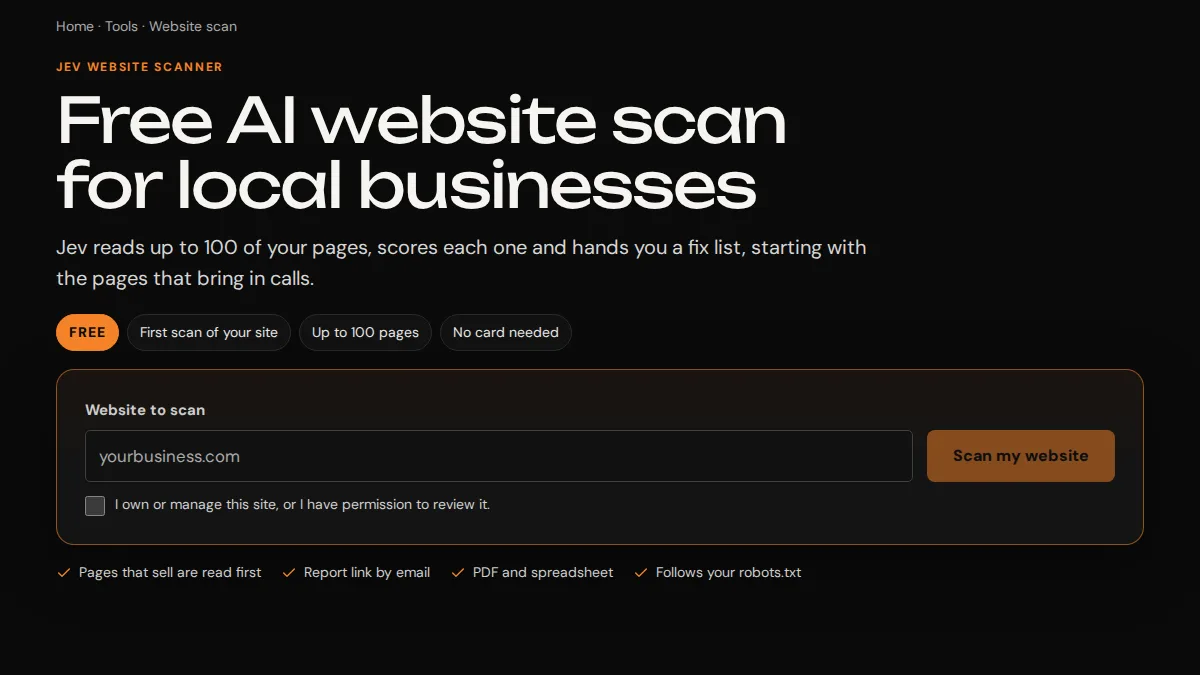
What happened when we scanned our own site?
We pointed the scanner at trojandigitalmarketing.com on September 25, 2026. It read 854 pages and scored 842 of them. The technical category, which code counts, averaged 99.5 out of 100. The overall health average was 63.1, because most of our pages still need writing fixes, and that fix list is the work we’re doing now.
| Pages read | 854 |
|---|---|
| Pages scored | 842 |
| Rated Good | 115 |
| Rated Improve | 727 |
| Not scored | 12 |
| Technical average | 99.5 |
| Overall health average | 63.1 |
We show the unflattering number on purpose. A tool that only ever says “looks great” isn’t worth paying for.
Our own platform
What runs behind this website?
We rebuilt trojandigitalmarketing.com onto Cloudflare Workers with its own content editor and inquiry pipeline. Jeff edits and publishes without a code deploy, and search engines hear about new pages on their own. It runs on vinext, Cloudflare’s open-source framework, and the editor and pipeline on top are ours.
- page routes
- 90+
- API routes
- 23
- database tables
- 18
- managed redirects
- 117
- between scheduled job runs
- 15 min
- before a publishing key expires
- 90 days
Leads, texts and calls
What happens when someone contacts us?
Each inquiry is saved before anyone is notified. Then Jeff gets a text through Twilio and an email through Resend, and calls our voice assistant handles on Vapi arrive as written summaries. Each alert is claimed once, so a retry can’t send it twice.
- Statuses from new to won, with a change history that can’t be edited
- Follow-up notes a visitor can add for 30 minutes after sending
- A signed Resend webhook for unsubscribes, checked before it’s trusted
- A Twilio signature check on call status updates
16 free tools
Which of our tools can you use today?
Our invoice and estimate generators, PDF toolkit, PDF signing and calculators run in your browser, so your files and numbers stay on your device. The Trojan Website Checker is a Chrome extension that checks the page you have open, and its settings block it from making any network calls.
Microsite software
What is Garrison?
Garrison is the software we use to generate and update our microsite networks, branded local sites that send calls and forms straight to a business. Trojan runs more than 1,400 live websites.
See how microsite networks workWhat do clients say about working with Jeff?
These reviews are about website and marketing work. We don’t have a client review of an app build yet, so none of them sits next to an app claim on this page.
“Trojan Digital Marketing gave our website a complete make over. The board members and I are absolutely thrilled!”
“Oh my gosh! This is perfect! Thank you! You can always count on Trojan Digital Marketing!”
“I had a great experience working with Jeff…”
How much does a custom web app cost?
Custom builds are quoted after a free call, in writing, because two apps with the same name can be very different jobs. Here’s what moves a quote, and the prices we do publish.
What moves the quote
How many kinds of people log in. Customers and staff each need their own screens and permissions.
What the app has to remember. Every table and history log is more to build and more to protect.
Payments. Refunds and failed payments need handling too, beyond the checkout itself.
Each outside system it talks to. Every API brings its own limits and keys.
Admin screens. Somebody on your team needs a way to fix a record without calling us.
Running it after launch. Hosting and outside services bill you directly, and the scope lists each one.
Free
First call
Bring the spreadsheet or the screen that slows your team down. We’ll tell you what we’d build first, or whether you should buy a tool instead.
Book the free callQuoted after a free call
Custom web app
You get a written scope with the first build, its dates and its price. Nothing starts until you agree to it.
Talk about your app$99 one time
Website audit
If your current website is the real question, the scanner’s audit scores every page up to 3,000. The first scan of a domain is free for up to 100 pages.
Start with a free scanWhat happens after the first call?
If the build fits, you get a written scope, and nothing starts until you’ve agreed to it.
- You show us the job.
Send the spreadsheet or the screen your team fights with, or call (317) 981-2386. The contact buttons on this page fill in your note for you.
- We talk it through, free.
We’ll tell you whether to buy a tool, connect the ones you have or build, and you don’t commit to anything on the call.
- You get a written scope.
It names the first build, what it has to do, its dates and its price.
- We build it in stages you can click.
You test a working preview as each piece lands, starting with the screen your team will use most.
- We launch and watch the first real use.
We fix what real customers and staff turn up in the first weeks.
How long does a build take?
The dates go in your written scope. We don’t publish a standard schedule for custom builds, because a quote calculator and a customer portal are different sizes of job. What we can show you is the order the work happens in.
Scope
You: send examples and the rules you follow
We: write the scope and the dates
First screen
You: click through it
We: build the screen your team uses most
Data and rules
You: check it with real cases
We: build the database and the server rules
Outside services
You: create the accounts in your name
We: connect payments, email or your other tools
Launch
You: tell your customers
We: put it live and watch the first use
After launch
You: send what people ask for
We: fix and improve from real use
Who builds your app?
You’ll work with Jeff Clerisier, who founded Trojan Digital Marketing in March 2018 and built it with no outside money. His freelance web and brand work started in 2016, and Trojan now runs more than 1,400 live websites. Jeff is your one point of contact and the person accountable for your build, from the first call to launch.
Trojan built and runs every system on this page, from the scanner to this website’s content editor and inquiry pipeline. We’re a marketing company that builds software too, so the app and the marketing that gets it used come from the same people.
Jeff’s Google certifications are in Google Ads, which matters once your app needs paid traffic.
Jeff Clerisier holds the Google Ads Search, Google Ads Measurement and AI-Powered Performance Ads certifications.
Where do we draw the line?
- We build focused web apps for small and midsize businesses. A web app works in any phone’s browser, and we don’t build native iPhone or Android apps.
- We don’t build systems that hold regulated health records.
- We don’t take on enterprise ERP rewrites or replace your accounting software.
- If an existing tool does the job, we’ll tell you to buy it on the first call.
What do owners ask before hiring a developer?
Is this page for hiring a developer or for developer jobs?
It’s for businesses that want a web app built. Trojan builds it for you under a written scope, and we don’t post developer jobs on this page.
Should we build a custom app or buy an existing tool?
Buy the tool when one fits how you work, because it’s ready today and costs less up front. Build when your pricing or process is what makes you different and every tool you’ve tried almost fits. On the free call we’ll tell you which side you’re on, and sometimes the answer is to connect two tools you already pay for.
How much does a custom web app cost?
It’s quoted after a free call, in writing. The biggest factors are how many kinds of people log in, what the app has to remember, payments, each outside system it talks to and the admin screens your team needs. Hosting and services like Stripe bill you directly after launch, and the scope lists each one.
How long does a build take?
The dates go in the written scope before any work starts. We build in stages, so you can click through a working first screen early and test each piece as it lands.
What will you build it with?
TypeScript and React on Cloudflare Workers, with Cloudflare D1, which runs SQLite, for the database and Drizzle for table changes. Payments go through Stripe, email through Resend, and texts and calls through Twilio. It’s the stack our own scanner and this website run on, and it’s mainstream and documented, so another developer can pick it up later.
Can you connect it to QuickBooks, our CRM or another tool?
Usually, when that tool has an API that allows it. If a built-in connector or a Zap already does the job, our automation page is the better fit. We write code for the connection when it has to hold your business rules, handle high volume, protect sensitive data or check a signed webhook.
What happens when something fails after launch?
We build apps to recover on their own where it’s safe to. Our scanner tries a call to Jev up to 5 times, waiting longer after each failure, and a public scan gets 3 retries before it pauses and tells the visitor. Support after launch, and who fixes what, goes in your written scope.
Who owns the code and the accounts?
That’s written into the scope before any work starts, covering the code, the hosting account, the domain and outside services like Stripe. We’d rather you open accounts like Stripe in your business’s name, so the payments are yours from day one.
Do you build iPhone or Android apps?
No. We build web apps that work in any phone’s browser, so customers don’t have to install anything. If your idea truly needs an app store app, we’ll tell you on the first call.
Is Trojan based in Indianapolis?
Yes. We’re based in Indianapolis, Indiana, and our Google profile lists a service area with no street address. The apps shown on this page are our own builds.
Want to talk through your app before you decide?
Send the spreadsheet or the screen that slows your team down, plus one sentence about what you wish it did. On the free call we’ll tell you what we’d build first, or whether you should build at all.
Or call (317) 981-2386.
We’re based in Indianapolis, Indiana, and build web apps for businesses across Indiana and the United States.