Need help?Jamie

Website Experience

Build a Service Request Form Your Staff Can Act On

Your contact form brings in requests your staff can't act on without calling back to ask what the job is. Trojan Digital Marketing designs service request forms around what your team needs for the first reply, then tests the path from page to answer. Ask us to look at yours: the first strategy call is free, and during business hours we aim to reply within five minutes.

Illustrative practical business toolkit.

See how I'd approach this

Choose a question
to look at with me.

A plan moving from scope to delivery and review01Define the scope02Build the work03Review the result
  1. Define the scope
  2. Build the work
  3. Review the result
A plan moving from scope to delivery and review

PUT THIS PAGE TO WORK

Map a contractor form to the first staff decision

Imagine a fencing contractor receiving requests for repairs, replacement sections and entirely new installations. A single “Tell us more” field may leave the team asking the same questions in every response. We begin with what staff need to choose the next step, then design a small form around that decision. This is an illustrative intake design, not a commitment about any contractor’s service.

The service choice can steer the rest of the form. Our form's service list opens with Let's work it out together, for people who aren't sure. A repair request may need a short description of the problem and whether a photograph is available. A new installation may need the intended use and approximate project stage. An address or area field should serve an actual service coverage check; avoid collecting details simply because another website includes them.

Keep the form’s promises aligned with its function. If staff must review the request, label the button “Request a project review” rather than “Book installation.” Explain what happens next and which information is optional. When an upload fails, preserve the written fields and provide a way to continue without losing the request. A customer should not have to start over because one attachment was too large.

We review the staff side as carefully as the public form. The inquiry should arrive with the chosen service, the customer’s original description and a reliable contact route. Make the first response answer the actual question instead of restarting the entire intake. Record whether staff could route the request and what clarification was needed, then use repeated gaps to refine the page or field instructions.

Illustrative working brief, adapt to the actual business
DecisionWorking exampleUsable output
Service choice
Repair, replacement section, new installation
Correct intake branch
Required context
Only information needed for first review
Short purposeful form
Confirmation
Request received for staff assessment
No implied installation booking

Pair the form with fencing marketing content and the agent ready form guide.

A service inquiry is useful when it gives the business enough context to respond and gives the customer an accurate expectation of what happens next. A form submission by itself does not establish that the request reached the right person or that the company can perform the work.

This playbook connects the public service page, form, confirmation, routing, and first response. It's for owners, office staff, designers and developers reviewing a form that's already live. The examples are hypothetical and should be adapted to the company's actual services and operating process.

Start with lead qualification for service businesses for the broader strategy. Then use the steps below to define a complete request process before changing individual fields or buttons.

1. Name the action the customer is taking

Start with the decisionYour serviceFitTrustNext stepScopeEvidenceContact
Fit
Explain the service scope.
Trust
Show supporting evidence.
Next step
Give a clear contact route.
Start with the decisionOne service can lead to different questions about fit, evidence and the next step.

Write the action as a sentence: request an estimate, ask about service availability, or arrange a consultation. Identify what the system can actually do at submission. A preferred appointment time is not confirmed unless the booking process reserves it.

Compare that sentence with the page's call to action, the form heading, the submit button and the confirmation. All of them should describe the same result. Our button reads Send inquiry, and the next screen says Your inquiry is saved and that Jeff will follow up. If the page promises a quote but the form merely starts a conversation, the wording needs to explain the distinction.

A useful first scope is one complete inquiry route for one service or buyer group. The business should be able to identify who receives it and what a good first response requires.

2. Identify the information needed for the first decision

We start by asking whoever handles inquiries what they need to decide if a request fits and how to answer it. Then we split what's needed to route it from details that can wait for the call. A longer form doesn't sort good leads from poor ones by itself.

Common questions concern the service, general project area, type of work, and timing. The exact fields depend on the business. A facilities assessment may need different context from a household estimate, and the form should reflect those differences when they matter.

The article on asking better estimate questions develops that decision. The goal is enough useful context for the next step, without asking the customer to perform a technical diagnosis.

3. Put service boundaries on the page

Some poor fit inquiries arise because the website does not explain the offering. State the work the business accepts, relevant service coverage, and important limitations before the form. A customer should be able to assess basic relevance without submitting a request.

Use the article on service boundaries and inquiry quality to identify where scope belongs in public content. The page can be helpful without turning every limitation into a prominent warning.

We keep those boundaries current. If the company adds a service or changes coverage, update the page, form options, and routing rules together. A form that offers an unavailable service creates a preventable mismatch.

4. Build a field purpose table

Example inquiry field review
FieldPurposeReview question
Service of interest
Routes the request
Does the choice match a current offering?
General project area
Checks service coverage
Is this level of detail enough initially?
Project description
Explains the customer's need
Does the prompt help without demanding a diagnosis?
Timing preference
Supports scheduling discussion
Is it clearly a preference if not confirmed?
Contact route
Enables a response
Is the requested information necessary and usable?

For every required field, we write down the decision it supports. If no one can explain why it is required at this stage, reconsider it. Optional fields should also have a purpose and should not imply that the request is incomplete without them.

We pick fields from how your business works today and leave the generic template behind. A useful design can start small and add a conditional question only when a selected service actually needs it.

5. Write labels and instructions in ordinary language

Give each input a visible label that names the information requested. Add a short example or explanation where it prevents a likely misunderstanding. Placeholder text should not carry the only instruction that disappears when typing begins.

W3C's labeling guidance supports clear relationships between a field and its name. Its instruction guidance addresses required input and useful help. Apply those principles to the actual customer task.

A project description prompt can ask what the customer wants done and what they already know. Ours asks, What are you trying to fix or grow? Avoid specialist language that forces them to choose a method or material they may not understand.

6. Handle optional files and conditional questions honestly

If a photo or document is useful, explain its purpose, accepted format, and whether it is optional. The interface should report an upload failure clearly and preserve the rest of the request. Do not imply that a file was received when it only appeared in a local preview.

Conditional questions should follow a clear selection. A commercial service choice may reveal a site access question, while a different service may not need it. Hidden fields should not create unexplained validation errors or carry stale answers into a new request type.

The form should collect only information appropriate to this first contact. Private records or sensitive documents belong in a process designed for them, not in a generic upload field added for convenience.

7. Validate input and preserve the customer's work

Validation should identify the specific correction needed. Keep valid entries when one field fails. A date should be a real calendar date, a count should use appropriate whole numbers, and a selected range should make sense for the task.

W3C's validation guidance distinguishes helpful browser checks from the server validation needed for the actual request. Both should apply compatible rules so a form that appears valid does not fail unpredictably at submission.

If the form includes a calculation or imported data, keep the result tied to its source input. A failed replacement file should not leave an old analysis available as though it describes the new request. The article on clear forms explores those state problems.

8. Make the confirmation correspond to the stored request

After submission, report what the system actually completed. A request received message can summarize the service and next step. It should not claim a booked appointment, approved project, or delivered staff response unless those events occurred.

Plan for duplicate clicks, refreshes, and uncertain network responses. The receiving system should recognize a retry of the same request where appropriate and avoid creating multiple commitments. A disabled button alone does not solve duplicate handling on the server.

For more consequential actions, use the reviewable actions article to determine what the customer should inspect before the final commitment. The review should be proportionate to the action.

9. Route the inquiry with its context intact

Document which team receives each request type and how it is identified. Useful context may include the service selected, originating page, general area, and the customer's stated need. Staff should not have to reconstruct the request from a subject line that simply says new lead.

Define a fallback when the primary recipient is unavailable or routing fails. The operational owner needs a way to see unresolved requests. A technically successful form is not a complete process if no one can identify which inquiries still need attention.

Use approved business systems for the records and keep access appropriate to the staff role. A public facts endpoint should never become a place to expose inquiry records; public information and private requests are different data categories.

10. Design the first response around the customer's question

A useful acknowledgment confirms receipt and explains the next step. A substantive first response should address the actual service and missing information, rather than send the same broad sales message to every inquiry.

For a hypothetical estimate request, the response might confirm the work described and ask for one detail needed to assess scope. The business should set a response expectation it can staff. Do not promise an immediate answer if the operating process cannot deliver one consistently.

Keep the distinction between an automated acknowledgment and a human assessment visible. The customer should know whether the business has reviewed the project or simply received the message.

11. Measure the stages that the business can verify

Define a received inquiry, a relevant inquiry, an estimate, a booked job, and a completed job separately. Each needs a source and an agreed unit. Repeated submissions should not automatically become several new customers.

The article on defining a qualified lead helps establish the measurement boundary. Google Analytics' key event documentation also reinforces that reports count defined actions, not implied business outcomes.

Review response time, unresolved requests, and repeated missing information alongside volume. These measures can identify a concrete form or workflow improvement. Keep channel attribution separate from a claim that a single touchpoint caused a sale.

12. Test the complete journey and maintain it

Test a normal request, missing required input, a correction, an unsupported service choice, a file error if uploads exist, and a retry after an uncertain response. Verify the receiving record as well as the visible confirmation.

Check the route on a phone and with a keyboard. If the site supports a browser assistant or another integration, confirm that it uses the same business rules and does not bypass required review. A separate interface should not expand authority.

Assign owners to service options, routing, confirmation language, and reporting definitions. Review those pieces when the offering or staff process changes. A maintained inquiry journey should continue to describe the service the business can actually provide.

Include one closed inquiry in the review when appropriate records are available. Trace whether the customer received a clear response and whether the final status reflects what staff know. An unanswered, unsuitable, declined, or completed request should not all disappear into one generic closed category if the business needs those distinctions to improve the process.

Common inquiry design questions

Should every form be as short as possible?

It should be as short as the first useful decision permits. Removing necessary context can create more work for both customer and staff. Keep each field connected to a purpose.

Can a requested date be labeled booked?

Only when the system actually confirms the appointment. Otherwise, describe the submitted preference and the confirmation process.

Is a thank you page enough to prove delivery?

No. The displayed result should correspond to the receiving system's actual state. Test the stored request and routing, not only the page transition.

Does a better form guarantee more qualified leads?

No. It can improve clarity and the information collected. Measure the actual requests and later stages before making an outcome claim.

What is a useful first deliverable?

An action statement, field purpose table, routing map, and set of meaningful review cases for one service. Those documents define a concrete implementation scope.

Connect the form to the service your team delivers

Use the agent ready form playbook for deeper interaction review or explore website design support. Contact Trojan Digital Marketing with the current inquiry route, or request a free audit.
Sources & further reading

Need our help with this on your own site?

Request a free strategy call

The first strategy call is free, and during business hours we aim to reply within five minutes.

Identify the request before proposing a correction

A correction needs a dependable connection to the original inquiry. We would define that connection before giving a customer a way to edit submitted details.

  1. Choose the permitted correction route Ask the business how a customer identifies an existing request. We would discuss whether the correction happens through a private link, an account, or a staff conversation. The route needs to match the receiving system's actual capabilities. A public form can't assume that someone may change a record because they know its reference.
  2. Explain what the reference does Tell the customer how the reference helps staff locate the inquiry. We can make that instruction clear without exposing the record. If the person can't find the reference, give the business an agreed way to resolve the missing connection. Keep that case open until staff establish which request it belongs to.
  3. Keep authority distinct from identification Finding a record and being allowed to change it are separate questions. Our proposed screen should follow the business's access rules. Staff need a process for someone acting on another person's behalf. The wording should not turn a shared email or copied reference into automatic permission to amend the inquiry.
Why not let the customer submit the form again?
A new form can look like a new inquiry to the receiving team. We would first ask whether the intended action is a correction to an existing record. If it is, give that action a recognizable route. The business must decide how the correction is linked and assessed. Reusing the initial form without that connection can hide the customer's purpose.
What should happen when the reference is wrong?
Keep the proposed correction available through the permitted process while staff check the connection. We would describe that pending state clearly. Don't attach it to a plausible record merely because the names resemble each other. The customer should know how to continue without seeing another person's inquiry details.
Can a forwarded receipt be used to make a change?
The business needs to decide what that receipt authorizes. We can help explain its actual role. A receipt may identify the original request while still requiring another check before a change is accepted. If several people share the conversation, the amendment process should make their authority clear.

Our starting question is what the customer is asking to change and how staff know which record it concerns. A correction route should solve that connection before collecting more details. Otherwise, a well-written form can still create a message the business cannot safely attach to its existing work.

Discuss one redacted amendment with the staff who handled it. We can use that example to identify the missing connection. A project can then define the public wording and the permitted route. The agreement should say which receiving-system work is included rather than assume a content change creates the entire capability.

  • Ask what happens when a person opens the correction route from a shared device. We would have the implementation team explain its actual access behavior. The public screen should not reveal a stored inquiry solely because the browser has been used before. The business must choose the permitted way to identify the user and request. Our wording can then describe that route accurately.
  • Check how an expired private link directs the customer to continue. We would ask whether the receiving process can issue another link or whether staff must handle the correction. The message should explain the supported next step. It shouldn't make the customer believe that the original inquiry was deleted simply because one way of opening it has expired.
  • Discuss a customer who changes the email address used for the inquiry. That may affect both contact and access. We would ask the business to define how the correction is assessed and which channel receives its result. The interface should keep the proposed new address distinct from a verified change. A field edit alone cannot establish who controls that address.

Show the proposed detail alongside its current meaning

A proposed edit should identify the field being changed and its status. We would keep it distinguishable from a value the business has already accepted.

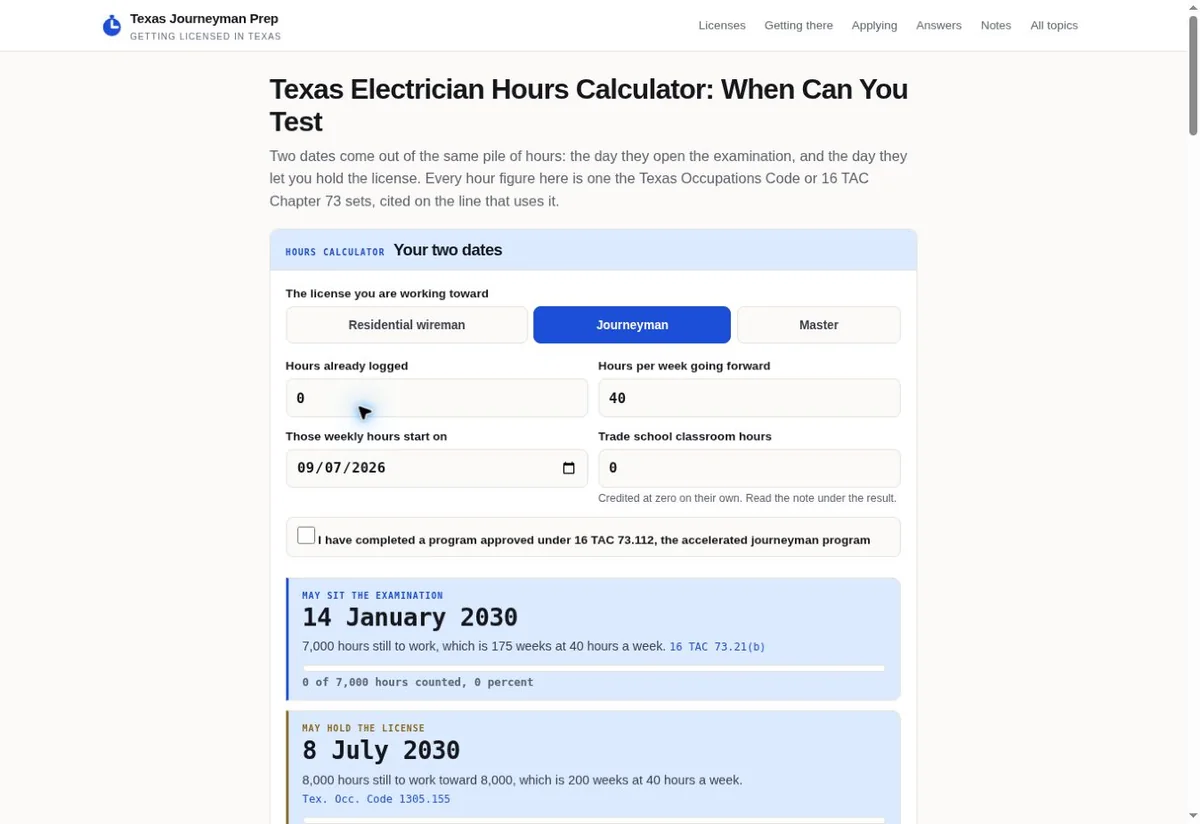
Texas Journeyman Prep calculator with labeled fields
Amended field: Texas calculator presents labeled planning inputs. View the project
Inquiry amendment state model
Question or recordBusiness inputAcceptance check
Original requestThe receiving system identifies the stored inquiry and the version being discussed.We check that the correction view describes the right record through the permitted access route.
Proposed correctionThe customer supplies the changed detail and, when needed, explains why it differs.The view identifies it as a proposal while staff acceptance or required processing remains pending.
Conflict messageThe system detects that the underlying detail has changed since the customer opened the view.Our message explains the specific conflict and offers the supported next step without silently discarding either value.
Accepted updateThe authorized process records the amendment and reports the actual result.The final state matches the stored record. Any unchanged service commitment remains accurately described.

The pictured calculator gives us a concrete input-design reference. An amendment screen has a different job: it must identify a stored detail and explain what editing it will do. We would name the field in the customer's terms and describe whether the edit is pending. The screenshot doesn't establish a correction workflow or saved inquiry behavior.

A customer might change a preferred contact route while the staff team is already preparing a reply. The interface needs to explain how that proposal is handled. We would ask the business what can change directly and what requires a conversation. A field appearing editable doesn't establish that every downstream arrangement changes with it.

Should the screen show both the old and new value?
That can help the customer inspect the proposed change when access is appropriate. We would label each value clearly. The old value should not look like the final answer after the update is accepted. The new value should not look accepted while staff still need to assess it.
What if only part of the inquiry can be corrected online?
Explain which details the supported route can change. We would give the customer an accurate way to ask staff about the rest. The screen should not offer a control that only appears to update a detail. Its available actions need to match the actual receiving process.
Can an edited preference change an appointment?
Only if the business's process actually changes that appointment and has the required authority. We would keep a preference correction separate from a confirmed arrangement. The customer needs to know whether they are asking for a change or completing one. Use the receiving system's actual state to answer that question.

Explain when the underlying request changed first

A conflict message should tell the customer why their proposed edit can't be applied as expected. We would preserve their work and offer a supported next step.

Hypothetical example A fictional customer corrects a detail after receiving a receipt, while staff acceptance remains pending.

Before

  • The customer opens a saved inquiry view and changes a contact preference. Before they finish, staff update the same record through the business process. The page still displays the earlier version and gives no indication that the underlying information changed.
  • The customer sends the correction and sees a generic success message. It isn't clear which value the receiving system kept. We would treat that uncertainty as a state problem to resolve.

After

  • Our proposed process would compare the permitted record state before applying the correction. If it has changed, the screen would identify the affected detail and preserve the customer's proposal. The next action would follow the receiving system's supported conflict process.
  • The customer could then inspect the current information or contact staff, as appropriate. A later confirmation would describe only the amendment actually recorded. This example contains no accepted booking or claim that the fictional customer acquired a service.
Should a conflict message simply ask the person to start again?
Avoid losing the proposed correction when the process can safely retain it. We would explain which detail needs attention and give the customer an accurate continuation route. W3C's form notification guidance supports clear feedback about errors and outcomes. Apply that principle to the specific amendment conflict.
Can the system merge both changes automatically?
That depends on the data and business rules. We would ask the implementation team which changes can be combined safely. Some fields may need staff assessment because their meaning affects the service conversation. The public wording shouldn't suggest an automatic merge unless that supported process actually occurred.
What does staff need to see when a conflict is escalated?
They need the original reference and the proposed correction through the permitted record process. We would also preserve the fact that a conflict occurred. Staff need that conflict stated clearly alongside the two values involved. The business can decide which details are appropriate for the receiving role.

Make retry behavior clear when the outcome is uncertain

A repeated correction should not quietly become another accepted change or another lead. We would define how the receiving process recognizes retries of the same amendment.

  • Keep the proposed correction identifiable within the permitted process. We would ask the implementation team how the same action is recognized when the customer retries after an uncertain response.
  • Explain whether the original attempt is still pending. Our message should give the customer a supported way to check the result rather than invite repeated clicks with no context.
  • Avoid treating a disabled button as the whole solution. It may prevent a quick second click while leaving refreshes or network retries unresolved. The receiving system needs compatible handling.
  • Keep an added correction separate from a newly acquired inquiry in reporting. We would ask the business which record connection establishes that distinction.
  • Show the actual accepted value when the supported process can retrieve it. The customer should be able to understand the outcome without guessing from a generic thank-you message.

An uncertain network response can leave the customer unsure whether the correction reached the business. We would define the supported continuation before writing the message. It may be a state check or a staff contact route. The interface should tell the truth about what it can establish at that moment.

The business may also limit online corrections after a request reaches a later stage. That rule needs its own approved explanation. We would avoid inventing a time window or a number of allowed edits. The customer should see the actual point at which staff need to handle further changes.

What if a retry arrives after the first update succeeded?
The receiving process should identify whether it is the same amendment. We would work with the implementation team to define that behavior. The customer-facing result should describe the recorded state accurately. It should not count the repeated attempt as another new customer simply because another request reached the server.
Should the page claim that duplicate changes are impossible?
No. We would describe the supported behavior and verify the agreed cases. A tested retry establishes that case under its recorded conditions. Broader reliability claims need matching support. The public message can be clear without promising that every possible failure has been eliminated.
How should a closed online correction route help the customer?
Explain that further changes need the business's established staff route. We would keep the earlier request reference available where permitted. The customer should not have to open an unrelated new inquiry to ask about the same work. Avoid implying that the original service commitment has ended merely because editing is closed.

Use clear state words beside the correction controls

The customer should know whether a detail is being proposed, processed, or accepted. We would place that meaning near the control that acts on it.

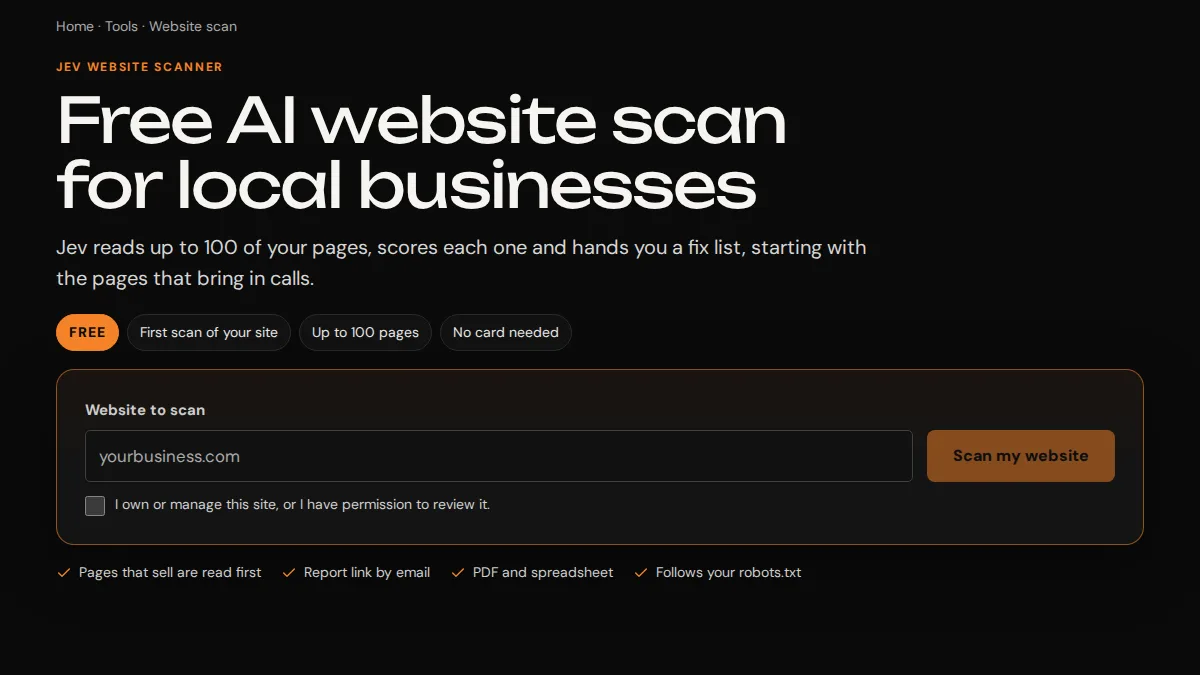
Jev scanner website input and scan action
Correction interface: Scanner screen has a website starting input. View the project
  1. Name the action precisely Choose words that match what the correction control actually does. We would distinguish sending a proposal from applying an accepted update. A broad save label may need nearby context when the business still has to assess the change.
  2. Keep the status close to the detail The field's state should remain clear when the customer scrolls or uses a narrow screen. Our design would keep the relevant label with the value. A distant message can become hard to interpret when several details have different statuses.
  3. Provide an understandable continuation When the amendment cannot proceed, identify the supported next action. We would preserve permitted input and explain what needs attention. A technical error code may help the internal team, but it shouldn't be the only instruction the customer receives.

A state word can affect what the customer believes the business has accepted. We would read it alongside the button and confirmation. If the page says updated while staff still need to assess the proposal, revise that language. The wording should reflect the receiving state even when a more confident phrase sounds attractive.

The scanner screenshot supports a discussion of visible context only. Your inquiry correction route needs its own access and record behavior. We can define the public state language with the implementation team. It shouldn't borrow the pictured product's status meaning simply because the layout looks similar.

What should an error identify?
It should identify the correction the customer needs to make or the supported next step. W3C's validation guidance addresses clear errors and the need for server checks. We would apply that foundation to the amendment's actual rules. A value accepted by the browser can still need further processing by the receiving system.
Can the interface leave staff assessment out of the message?
Only when staff assessment is not part of the actual process. We would ask the business which amendments require it. The customer needs enough information to distinguish an accepted change from a proposal. That doesn't require a long explanation of the company's internal system.
How should a correction screen handle a field it cannot change?
Use a clear explanation and the appropriate contact route. We would avoid presenting a control that appears active but cannot affect the record. If the field is shown for context, label it in that role so the customer understands why it remains visible.

Give staff the accepted version and the change history they need

Staff should be able to distinguish the current accepted detail from an earlier proposal. We would define the amendment record around the business's actual handling needs.

What should staff receive after an accepted amendment?
They need the inquiry connection and the detail that actually changed through the permitted process. We would make the resulting state clear enough to continue the customer conversation. If other details remained unchanged, the record shouldn't imply that the entire request was replaced. Access to the history should follow the business's staff roles.
How can the business inspect a correction without using private live data?
Use an agreed test record with non-sensitive information and a marked purpose. We would exercise the actual correction route only with authorization. Check the visible message against the receiving record. A page-only check can assess labels, but it cannot establish that the amendment was stored or reached the intended staff.
What belongs in the acceptance cases?
Choose cases that can reveal the actual state problem. We would include a valid correction, a missing connection, a conflict, and a retry if those are supported. Add a later-stage change only when the business process uses that restriction. The cases should reflect the implemented rules rather than imitate the interface's happy path.
What can Trojan Digital Marketing help define first?
Bring one redacted correction and explain how staff handled it. We can discuss the customer action, the permitted record connection, and the message that describes the result. That is a concrete start for a focused project. Any account access, backend change, or private data workflow needs its own agreed implementation work.
  • Keep the customer's original wording available through the permitted record process when it helps explain the change. We would avoid silently rewriting the earlier question as though it was never asked.
  • Identify the actor responsible for an accepted update according to the business's record requirements. A customer proposal and a staff action may carry different authority.
  • Use the accepted version for the current response. Our staff view should not require someone to choose between several unlabeled values.
  • Check the notification after a correction changes the contact route. We would ask which destination the business's rules use and verify the agreed case.
  • Keep reporting attached to the original inquiry when that is the verified relationship. An amendment event can be measured separately without inflating acquisition totals.

A dependable amendment process closes the loop between the customer's proposed correction and the business's accepted record. We would define that loop before polishing the screen. The public message and staff information should describe the same event. Any gap between them remains a concrete issue to resolve in the proposed work. Staff can also identify which earlier message prompted the change. We would keep that link clear in the permitted history.

Sources