Need help?Jamie

Market service plans

Dallas Design District Google Maps Optimization Services

You've had a homeowner call from the curb because Google showed you open on a Saturday, or a designer who couldn't tell from your listing whether they needed an appointment.

For kitchen and bath showrooms in the Dallas Design District, Dallas, Texas, Trojan Digital Marketing sets up and corrects the Google Business Profile behind your Google Maps listing. We start with what visitors check before driving over: hours when someone can help, and whether a homeowner can walk in or needs an appointment or a designer. The city's plan for the area studied 194 acres bounded by Stemmons Freeway, Continental Avenue, the Trinity Levee and Wycliff Avenue.

Share your showroom's Google profile link. The first strategy call is free, and during business hours we aim to reply within five minutes.

  • Hours and pin that match the front door
  • A profile that says walk-in or appointment
  • Calls, directions and booked visits counted

Profile work is where we have our clearest numbers. For one local Indianapolis-area business we work with, August 2026 brought 7,860 Google profile views, up 92.3% on August 2025, and searches showing the profile rose 118.8% to 2,087. One Indiana business's numbers won't tell you what a Dallas showroom will see. Jeff Clerisier started Trojan Digital Marketing in March 2018 and is still the one running it.

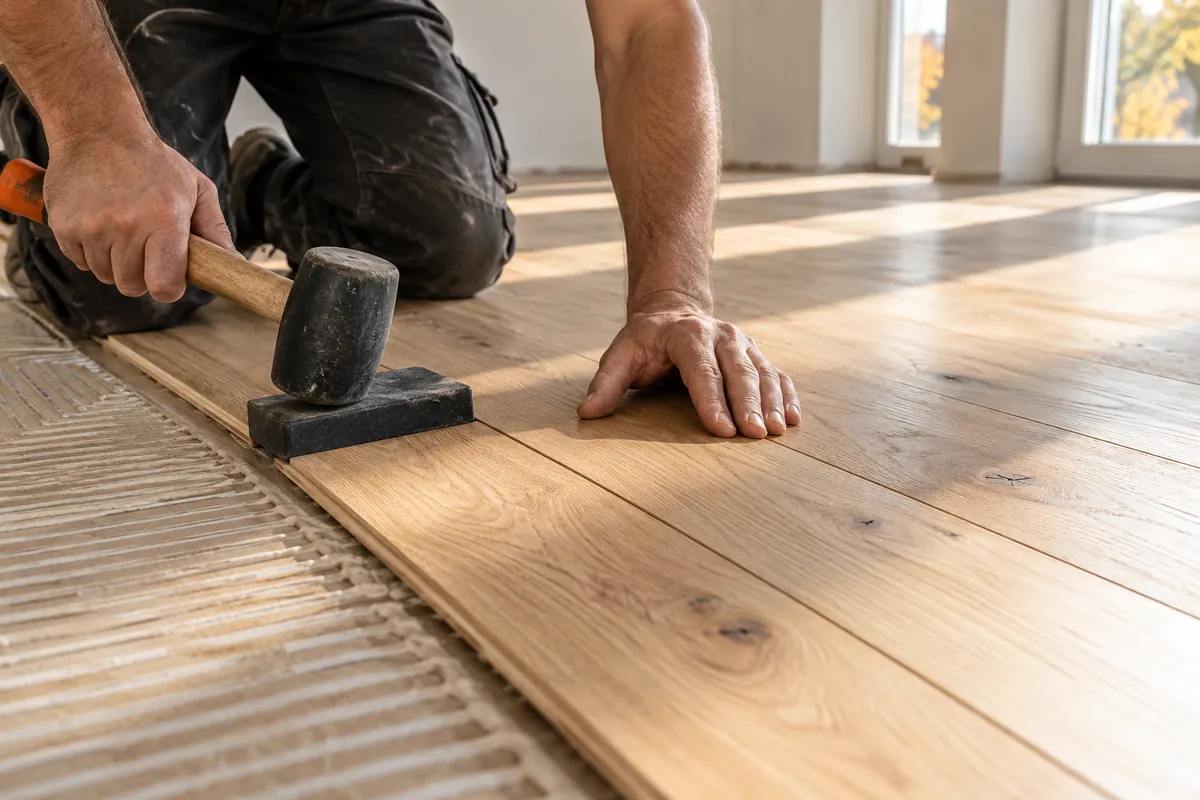
Illustrative business scene: craftsperson fitting oak planks into a new wood floor
IllustrationArea sketch of Dallas Design District, Dallas, TexasNearby areas at real bearings and distances from this page’s coordinates. The orange pin marks the area. Spacing isn’t to scale, and no businesses appear.AREA SKETCHUptown Dallas 1.9 kmDowntown Dallas 2.7 kmDeep Ellum 3.4 kmBishop Arts… 5.1 kmNDallas Design DistrictDallas, Texas32.795° N96.819° WPIN MARKS THE AREA · NOT TO SCALE

YOUR WORKING BRIEF

Choose where to start

Select the parts you want to discuss. Your choices carry into the inquiry form.

Discuss this service0 priorities selected

See how I'd approach this

Choose a question
to look at with me.

A real business connected to its profile and service pagesYour businessReal servicesYour profileLocal pagesREAL BUSINESS FACTS
  1. Your business and real services
  2. Your business profile
  3. Pages for the areas you serve
A real business connected to its profile and service pages

Google Maps work from Trojan Digital Marketing is built around the person planning a visit to a Dallas Design District kitchen and bath showroom. That's a homeowner or a designer, and the profile's website button should lead to one step: confirm a showroom visit.

Dallas Design District: About documents the local commercial context. The district website identifies design showrooms, galleries and dining. In a district of design showrooms, we'd also check that your pin sits on your own entrance. If it lands on a neighbor's door, a homeowner can end up at someone else's showroom. Trojan works as a national agency; this page describes a service market, not a local agency office.

Questions about Google Maps and Business Profile in Dallas Design District, Dallas, Texas

What does Google Maps optimization cost for a showroom?

We price profile work for an established showroom on the free strategy call, once we've seen how much is wrong and how many locations you run. If you haven't opened yet, the Marketing Startup Kit ($7,997) bundles Google Business Profile setup with a custom website, 20 blogs and three months of consulting, so the profile and the site launch together.

Can our showroom show its address and also list the areas we install in?

Yes. Google lets a business that serves customers at its address also set a service area, as long as the showroom is staffed during the hours you list. For a kitchen and bath showroom that measures in clients' homes, we'd keep the Design District address visible for visits and add only the areas your installers really travel to.

Does a Design District showroom qualify for more than one Google profile?

Only if it's a genuinely separate location with its own staffed entrance and hours. A second profile at the same address, or one made to rank in another neighborhood, breaks Google's guidelines and puts both listings at risk of suspension. Where a design center houses several distinct businesses, each one can usually keep its own profile at the shared address.

What if our showroom is trade only or appointment only?

Say so on the profile and the website so nobody drives over expecting to browse. The district's directory already shows a mix of trade-only and public showrooms, and visitors check before they come. We'd put your visiting rules at the start of the description, list hours when someone can actually help, and point the website button at a booking page.

How would review requests work?

We'd set up a plain request sent after a completed visit or install, with a direct link to your Google review form and nothing offered in return. Google's policies bar rewarding customers for reviews and bar asking only the happy ones. Replies to each review would come from someone at the showroom, written in their own words.

Can you promise a map position across the whole district?

No. Map results shift with where the searcher is standing, what they typed and Google's read of relevance, distance and prominence. What we'd commit to is an accurate, complete profile and a regular look at calls, direction requests and website clicks. That way you can judge the work by the visits it brings in.

Does a new storefront sign affect our Google profile?

It can, since Google wants your profile name to read the way it does on the building. In Dallas, putting up or re-facing a sign needs a city permit once any sign's effective area is over 20 square feet. Line the profile name change up with the day the new sign actually goes up.

“…drove a noticeable uptick in leads within just a few weeks…”
Mike BamosiGoogle review
“I had a great experience working with Jeff…”
Heather DoanGoogle review

We have more than 1,400 live websites.

Trojan Digital Marketing is based in Indianapolis and serves Dallas businesses remotely.

Read our Google reviews

Which Design District details belong on a showroom's Google profile?

The district's streets, trail and directory listings give a showroom's Google profile its directions and address format. These published facts shape our Maps work in the Dallas Design District, Dallas, Texas.

  • The City of Dallas Stemmons/Design District Land Use Plan describes a 194-acre study area bounded by Stemmons Freeway (I-35E), Continental Avenue and the Trinity Levee, and Wycliff Avenue.

    Those edges help us check that your map pin sits where it should and write directions a first-time visitor can follow from the freeway.

    City of Dallas Planning and Development: Stemmons/Design District Land Use PlanChecked September 25, 2026
  • A tile and bath showroom's page in the district directory lists its address on Hi Line Drive in ZIP code 75207.

    We'd format your address the same way on the profile, the website and district listings so Google sees one consistent location.

    Dallas Design District Directory: Renaissance Tile and BathChecked September 25, 2026
  • The Trinity Strand Trail runs through the Design District along the original channel of the Trinity River.

    If a trail access point is near your door, it's a landmark worth naming in directions for visitors arriving on foot or by bike.

    Trinity Strand TrailChecked September 25, 2026

We haven't confirmed district parking rules or typical showroom hours, so your profile would use your own verified hours and parking notes.

What would we verify on a kitchen and bath showroom's Google profile?

A showroom's Maps profile is only as good as the details behind it, so we'd start with what your Design District staff can confirm at the front door.

  • Hours when someone can actually help a visitor, including appointment-only days
  • Whether homeowners can walk in or need a designer or appointment
  • The brands and product lines really on your floor
  • Which areas your team travels to for measuring or installs
  • Pin placement and address format against your sign and website
  • A primary category and services that match what you sell
  • A website link that lands on the visit booking page
  • Tracking for calls, direction requests and booked visits

How should the profile read for walk-ins compared with appointments?

Whether your Design District showroom takes walk-ins or booked visits changes several parts of its Google profile, from the hours to the website button.

Profile detailOpen to walk-insBy appointment or trade only
Hours
The hours your floor is staffed for browsing
The hours staff can meet a booked visitor, with the booking rule stated in the description
Website button
Plan your visit, landing on directions and parking notes
Book a visit, landing on the short request form
Description opens with
What visitors can see and touch today
Who can visit and how to arrange it
When to ask for a review
After an in-store consultation or order
After a completed booked visit or install

Start with the actual business operation

The showroom’s physical customer journey determines the scope. We would review whether visitors browse freely, attend consultations or collect ordered products, then check how those arrangements appear on the profile and website. A loading bay, office door and customer entrance may require different instructions. Staff would approve photographs and identify the person responsible for temporary hours. The deliverable would include a profile change plan and a visitor information page. Installation coverage would be documented separately from the question of whether the showroom is an eligible public location.

Implementation priorities for this offer

The first improvement would address visitors reaching a loading entrance or arriving outside customer hours. We would compare the profile with the operator’s approved facts before preparing changes. We would check the customer route to confirm a showroom visit, document the update owner and review the published result. The plan would avoid speculative address edits or extra profiles intended only to increase geographic coverage.

A proposed scenario for Dallas Design District

For a proposed kitchen and bath showroom engagement, we would start by checking the existing Google Business Profile against the physical operation. The customer entrance may differ from the delivery access, and a showroom may require appointments even when warehouse staff are present. The business would confirm those facts before changes are made. Photographs would help visitors recognize the actual entrance. A review request could follow a completed consultation through the normal customer process, with no reward attached. If the company also installs products at customer premises, the profile would be reviewed for the appropriate hybrid arrangement rather than creating another listing for every area where installers travel.

An operating decision to resolve

Warehouse working hours do not automatically describe customer access. Publish the hours and visit conditions that a member of the public can rely on.

Decisions and evidence for the proposed engagement
DecisionWhat the business would confirm
Customer obstacle
Visitors reaching a loading entrance or arriving outside customer hours.
Evidence to review
Permanent signage photographs, actual opening arrangements and entrance details.
Useful inquiry context
Whether the visitor needs product browsing, design help or collection.

Sources & further reading

Talk with Trojan Digital Marketing

Add a branded lead source to your search plan.

For contractor growth beyond Indiana, we can scope an exclusive Garrison network alongside your existing search work.

Roofing and water restoration offers serve eligible markets outside Indiana. We confirm territory and routing before you commit.

Explore branded exclusive roofing leads or branded exclusive water restoration leads for your service area.

Ask about window replacement lead options when that’s the trade your team serves.

Discuss your trade and service area.

Tuesday couch, Saturday curb: a kitchen shopper's route to your door

Most remodel shoppers meet your showroom on a phone, days before they visit. Walk a made-up shopper's route once and you'll see which listing details decide whether she arrives.

  1. Tuesday night, on the couch She types kitchen showroom Dallas while a cooking show plays in the background. Your listing gets a glance, so the name and the first photo do nearly all the talking.
  2. Wednesday at lunch, the shortlist She saves a few showrooms to a list in Maps. Real photos of full kitchen displays make the cut. A listing with only a logo and a blurry faucet gets scrolled past.
  3. Saturday, 9:15 a.m. She checks your hours before grabbing her keys. If the listing says ten and your door opens at eleven on Saturdays, she's annoyed before she parks.
  4. The drive in She taps directions. The pin should drop her at the door customers use. If it lands around back by the freight bay, she circles the block while her coffee goes cold.
  5. Standing on the sidewalk She looks up and compares the sign with the listing name and the storefront photo. When all three agree, she walks in feeling sure she's in the right place.

Every stop on that route leans on one part of your profile. The name and category carry Tuesday night, while photos carry the shortlist. Saturday morning is all about hours, and the pin plus a storefront photo handle the last fifty feet. We start at the end of the route and work backward, because a wrong pin wastes a visit the rest of the listing already earned.

If we ran this walk for your showroom, we'd keep a list of every snag with a screenshot beside it. A walk like this can catch things nobody inside notices, like a storefront photo taken before the awning changed color. That list becomes the to-do list, in the order a shopper would trip over each item.

Kitchen shoppers often bring someone along. A partner, a parent or a contractor may be in the car, and every one of them is reading the same listing on their own phone. When the details are right, nobody in the car has to call you to ask where the door is.

Let last year's sales pick your main category

Pick your main category from the work that brought in most of last year's money, then add only a few extras. Kitchen and bath shops often do two jobs, so read the books first.

Hypothetical example A made-up kitchen and bath showroom holds its listing up against twelve months of sales

Before

  • Main category picked on opening week, back when the business mostly sold fixtures over the counter
  • Six extra categories ticked, from tile to plumbing supplies
  • Nobody had compared the listing with the books since the doors opened

After

  • Last year's books: about a third of the money from counter fixture sales, about two thirds from kitchens its own crews installed
  • Main category moved to the remodeling one that fits those kitchens
  • One extra category kept for the fixture counter, and the rest folded into the description

Reading the year takes an afternoon, and we'd happily do it beside you. Pull twelve months of invoices and sort them into two piles: things that left on a cart and jobs your crews installed. Then add up dollars in each pile. Don't count tickets, because a busy Saturday of faucet sales can feel huge and still bring in less than one kitchen.

If the piles come out close, lead with the side your staff spend most of their week on, and look again next year. It's tempting to tick every box that sounds close, like cabinets, tile and countertops all at once. That leaves the listing blurry, and the extras can live in your description and on your website instead.

Can we change the main category later?
Yes. If your business shifts toward installs, the category can shift with it. We'd make that kind of change during a quiet week, one edit at a time. Then we'd watch calls and direction taps for a month to see how the listing responds.
Does a second category hurt the first one?
A second category that's true to your business is fine. The trouble starts when owners pile on six or seven loosely related ones. We'd keep your list short enough that you could explain each choice to a customer in one sentence.

When to ask for a Google rating in a four-month kitchen job

Ask once, after the finished room has been used for a few days. Kitchen jobs run long, and an early ask can earn you a rating about a backordered faucet.

Moments in a hypothetical kitchen project, and whether each one suits a rating request
Project momentAsk for a rating?What to do at this point
First showroom visitNo. They haven't bought anything yet.Send a thank-you note listing the pieces they liked and a link to book a design session
Design sign-offNot yet. The job only exists on paper.Confirm the order list and the delivery window in writing
Delivery weekNo. Boxes and backorders are the worry right now.Tell them what arrived, what hasn't and when you expect it
Install dayAlmost, but give it a few days of real cooking.Walk the room with them and fix small things on the spot
About a week after installYes. Send your Google link or QR code.Ask every customer the same way, whether they gushed or stayed quiet
Counter sale with no installYes, after pickup or delivery.Hand over a small card with the QR code at pickup
What if a customer rates us low because a vanity arrived six weeks late?
Reply calmly with what happened and what you did about it. Name the fix, like the temporary sink you set up or the day the piece arrived, and skip blaming the supplier. Future shoppers read that reply to judge how you'll handle their own wait.
Can our installers ask for ratings on the job site?
They can hand over the QR card once the room is done. Give them the exact words your front desk uses, so every customer hears one polite ask and nobody feels cornered in their own kitchen.
Should designers who send us clients leave ratings too?
Only if they actually bought from you or used your service. A designer who ordered cabinets for a client is a customer. A friend of the owner who never bought anything isn't, and padding like that isn't worth the risk to your listing.

Dealer locators that send shoppers to your door

If the brands on your floor list their dealers online, those entries point shoppers at you too. Ask each brand rep to match them to your Google listing.

Picture a homeowner who falls for a faucet on the maker's own website. She taps a find-a-dealer button, types her ZIP and gets your name. The phone number is the one you dropped two years ago, and the pin sits where your old loading dock was. She never reaches your Google listing at all.

Those entries belong to the brand, so nobody on your team sees them change. We'd fold them into the listing work, because for a showroom that carries a dozen lines they add up to a dozen doors into the building. They're easy to forget and cheap to fix.

  1. List every line on your floor Work from purchase orders instead of memory, so cabinet lines, fixture makers, tile and hardware all make the list.
  2. Look yourself up on each locator Use a phone and the ZIP a homeowner would type. Screenshot your entry, even when it looks right.
  3. Hold each entry up to your Google listing Check the name, the address, the pin and the phone number. Note the website link and hours too, where the locator shows them.
  4. Email each brand rep once Attach the screenshot and paste the correct details straight from your listing. Ask the rep when the fix should show.
  5. Ask to come off lines you've dropped A shopper sent to you for a faucet you stopped carrying leaves annoyed, and she tells her contractor.
Where should a locator entry link to on our site?
If the rep lets you choose, point it at your page for that brand, or at your visit page. The home page makes a shopper start over, and she came in knowing exactly which faucet she wanted.
How often should we recheck the locators?
After any move, phone change or rename, plus a quick sweep twice a year. Keep one sheet with each brand, the rep's email and the date you last looked, so the job doesn't live in one person's head.

Big listing changes, made one at a time

Space out major edits, such as a new name or a moved pin. When changes land one by one, you can tell which edit caused a problem and fix it fast.

  1. Screenshot the listing as it is Capture every field before touching anything: name, categories, address, pin, hours, phone and website link. If something goes sideways, you'll know exactly what it looked like before.
  2. Post about the rename that week Add a profile post with a photo of the new name on the building and one plain line, like same showroom, same team, new name. Regulars and designers who saved the old name see the change right on the listing.
  3. Move the pin with care Zoom in close and set the pin on the door you want customers to use. Then test it in directions mode from a phone parked down the street.
  4. Let each change settle Wait until one big edit shows up publicly before starting the next. A name change and a new category in the same afternoon make any problem hard to trace.
  5. Update your other listings Match the district directory entry and your website footer to the new details, so shoppers who find you elsewhere see the same facts.

A move across the district needs its own plan. If you're changing buildings, time the address edit to the day the new door opens, and keep the old space off the map once you've left. We'd walk through that plan with you before the moving truck is even booked, so the listing and the sign switch over on the same day.

Tag the website button so Maps visits stop blending in

Add a campaign tag to the website link on your listing. Your analytics can then show which visits and booked appointments started on Maps, instead of lumping them in with other search traffic.

Hypothetical example A made-up showroom's website link, before and after tagging

Before

  • Website field points at the home page, with no tag
  • Analytics mixes listing clicks in with every other visit from Google
  • Nobody can say how many visit requests began on Maps

After

  • Website field points at the visit page, with a campaign tag on the end
  • Analytics shows listing visits as their own line
  • Visit requests from the listing get counted each month, beside calls and direction taps from the profile itself
  1. Pick the landing page Point the button at your visit page, the one with parking notes and the request form. The home page makes people hunt.
  2. Build the tagged link Add source, medium and campaign tags to that page address. Keep the names short and lowercase so the reports stay tidy.
  3. Paste it into the website field Save it, then tap the button from a phone to make sure the page loads and the tags come through.
  4. Count visit requests Set up your analytics to record each submitted visit request, so tagged visits can be matched to real requests.

Why bother? Because the profile's own numbers stop at the tap. They'll tell you someone clicked through to your site, and then the trail goes cold. With the tag in place, we can follow that visitor to the visit page and see whether they asked for an appointment. For a kitchen showroom, where one booked visit can turn into a whole kitchen, that last step is the number worth knowing.

Keep the tag the same once it's live. If someone renames the campaign halfway through the year, your month-to-month comparison breaks, and we'd spend an afternoon stitching two lines back together.

Freight drivers, installers and other people who use your pin

Homeowners aren't the only people reading your listing. Freight drivers, installers and people already strolling the district rely on the same pin and phone number.

Who else lands on a showroom listing, and what they need from it
WhoWhat they look forWhat we'd make sure of
Freight and delivery driversThe receiving door and its hoursDock directions live in the delivery paperwork, so the public pin can stay on the customer door
A homeowner's contractor meeting them on the floorThe customer door and the time the floor opensHours that match the floor, so the meeting doesn't start in the parking lot
Installers stopping in for partsThe right number to call before driving overA phone line that reaches someone who can check stock
People already strolling the districtWhether they can wander in right nowHours and a description line that say who can browse

That nearby crowd is easy to win and easy to lose. Someone standing on the sidewalk with twenty spare minutes wants two answers: are you open, and can they come in without an appointment. If the listing says both plainly, a passing couple can turn into a design consultation. If it's vague, they'll wander next door.

Installers are the quiet regulars. A tile setter halfway through a bathroom job runs short on trim pieces and wants to know whether you have six on the shelf before he crosses town. He'll tap the number on your listing from the job site. If it rings a voicemail box nobody checks, he buys somewhere else. We'd make sure that number reaches someone who can walk to the shelf and look.

A description that answers the call before it rings

Use the description to say what's on your floor and who can walk in. That short paragraph can answer the questions your front desk hears all day.

Hypothetical example A made-up kitchen and bath showroom's profile description, rewritten

Before

  • Family owned. Quality products, great prices, amazing service.
  • A list of twelve brand names, three of which the showroom stopped carrying last year
  • Call today!

After

  • Kitchen and bath showroom with full cabinet, tile and fixture displays you can touch.
  • Homeowners can walk in during open hours, and design sessions are by appointment.
  • Our crews install in the areas listed on this profile.
  • Book a visit from the website button, or call to check on a piece before you drive over.

The rewrite drops the adjectives and adds facts a shopper can act on. It says what they'll see, whether they need an appointment and how to book. Brand lists go stale fast in a showroom, since lines come and go with each floor reset. We'd move them to a website page your team can update in a minute.

What our monthly look at a showroom listing covers

Once the repairs are done, the listing needs a short check each month. Here's what we'd look at, and the part your team plays in each step.

  1. Search like a stranger We look you up logged out, on a phone, by name and by a plain search like bath showroom near the Design District. We note anything that looks off, from a stale photo to a wrong hour.
  2. Hold the hours up to your calendar We compare the listing with your calendar of closures and events. We enter special hours for holiday weeks early, which spares anyone a drive to a locked door on the Friday after Thanksgiving.
  3. Read the new ratings We draft replies to fresh ratings in plain words. Someone at your showroom approves or rewrites each one, so replies sound like the people customers actually met.
  4. Count what the listing sent you We line up calls, direction taps and tagged visit requests against the same month last year, and ask your floor staff whether walk-ins felt busier or quieter.
  5. Pick one thing to improve Each month ends with one small change we agree on together, like new photos of a finished display or a sharper line in the description.

It's dull work, and dull is what keeps a listing right. Map listings drift when nobody watches them. Hours go stale and ratings pile up unanswered. A calm monthly habit keeps the listing matching the showroom, which is what shoppers want and what Google's own tips ask for.

The repairs we'd make first, and what they take

Most showroom listings need the same handful of repairs before anything fancy. We'd start with the ones that cause wasted trips, then move to photos and ratings.

  • A phone number that rings the warehouse, where nobody can talk about a design
  • Hours copied from the shipping schedule instead of the showroom floor
  • A first photo that's a logo, so nobody can picture your displays
  • A website button that drops people on the home page to hunt for the visit form
  • Old ratings with no replies, which read like nobody's minding the store
  • A description that lists brands and forgets to say who can walk in
Can our own staff handle some of this?
Yes, and plenty of owners should. The QR card and special hours are easy wins for your team. We'd handle the tagged link and anything that could get the listing flagged, then show your staff how to keep it tidy.
How would we know it's working?
Watch calls, direction taps and visit requests from the tagged link, month by month, beside what your floor staff say about walk-ins. A listing that sends more of the right people to the right door is doing its job, whatever anyone says about rankings.
What does it cost if we're opening a second showroom?
We'd price the new location during the free call, after a look at the first listing. A second showroom often inherits the first one's problems, because the easy move is to copy the photos, description and phone number across. We'd build the new listing from its own front door outward, with its own photos, its own hours and a phone that rings in that building.

To make the free call count, have three things ready. Bring someone with manager access to the listing, with the dashboard open, so we look at the real fields together. Bring last year's split between floor sales and installed jobs, which settles the category question in minutes. And bring your closure calendar for the months ahead. We haven't yet worked with a showroom in the Design District, so we'd rather start from your real listing.

Sources

From the businesses we've worked with

“Getting help with search visibility made sense for my business. I'm glad I decided to work on it”

Marketing help for Dallas businesses

Trojan Digital Marketing is based in Indianapolis and serves Dallas businesses remotely.

Request a free strategy call

Dallas, Texas

Service area map

Explore Dallas on OpenStreetMapArea reference; this is not an office pin. Map © OpenStreetMap contributors.