Need help?Jamie

Market service plans

Greenfield Website Design for Repair Appointment Requests

Your customers can describe the noise or the error code, but not the repair name, and your website makes them pick one anyway.

Trojan Digital Marketing designs websites for Greenfield, Indiana repair and service businesses whose customers need to request an appointment without knowing the technical name of the fix. If you keep hearing, 'I filled out your form, did you get it?', this is for you. Only about 3 in 10 Hancock County residents live in Greenfield itself, so the form asks where the job is.

Bring three recent repair requests, messy ones included, so the call starts from what your form misses. The first strategy call is free, and during business hours we aim to reply within five minutes.

  • Customers describe the problem in their own words
  • Chosen times marked as requests until staff confirm
  • Test requests sent to the inbox staff really watch

Trojan Digital Marketing has more than 1,400 live websites, and our founder, Jeff Clerisier, still runs the company. On a repair site, we test the request form before launch. A form that drops requests costs you jobs you never hear about.

Illustrative content research workspace.
IllustrationThis page drawn as a wireframeThe headline, highlights and button from this page, redrawn in desktop and phone layouts. It’s an illustration of page structure and isn’t a client site.PAGE WIREFRAMEtrojandigitalmarketing.com/greenfield-w…Greenfield WebsiteDesign for RepairAppointment RequestsCustomers describe the problem in their…Chosen times marked as requests until…Test requests sent to the inbox staff…Book a free strategy call010203GreenfieldWebsiteDesign forRepair…Customers…Chosen times…Test requests…Book a free…

YOUR WORKING BRIEF

Choose where to start

Select the parts you want to discuss. Your choices carry into the inquiry form.

Discuss this service0 priorities selected

See how I'd approach this

Choose a question
to look at with me.

A website built around the next customer decisionMESSAGE · EVIDENCE · ACTION
  1. A clear offer
  2. Evidence for the customer
  3. An action that works on mobile
A website built around the next customer decision

Questions about website design in Greenfield, Indiana

  • Hancock EDC identifies Greenfield as its county seat and describes Depot Street Park. Plans connect business specific information with verifiable local context. Hancock EDC Greenfield community profile

What does a new website cost for a Greenfield repair business?

If your repair shop needs the whole site rebuilt, the Marketing Startup Kit covers it at $7,997, or three monthly payments of $2,799, with a custom 15 page website and Google Business Profile optimization included. We price smaller jobs, like a new request form and service pages on your current site, after the free strategy call. If you'd rather see where the current site stands first, the website scan is free.

Should customers be able to pick an appointment time on the form?

Only if the slot is truly held when they pick it. If staff still confirm by phone, we label the field 'preferred time' and have the thank-you screen say when someone will call back to confirm. A calendar that looks like a booking and then gets changed is one of the fastest ways to lose a repair customer's trust.

How do customers describe a problem they can't name?

We give them a short box that asks what they're noticing, with a couple of plain examples above it, and let staff choose the service. Making someone pick from a list of technical repair names tends to put requests in the wrong category. A photo upload helps too, and we add a line beside it saying who'll see the photo.

Our customers come from all over Hancock County. How should the form handle that?

We ask for the town or ZIP code near the top. The Census Bureau's 2024 estimates count 26,268 people in Greenfield out of 88,810 in Hancock County, so most of the county lives outside city limits. If you only travel to certain towns, or customers have to bring the item in, the form says so before anyone types a description.

How long does a website project take?

About nine to twelve weeks in the Startup Kit's example schedule, which gives weeks two to four to design and build, then holds launch for weeks nine to twelve so content and profile work can finish. We agree the actual schedule after scope review, and it moves fastest when your staff can test the request form early.

What if the new form still brings in messy requests?

Then we read a batch of real submissions with your staff and mark which fields got skipped or misread, which points to the prompts that need rewriting. Sometimes the fix is moving the town field higher, and sometimes it's adding a separate route for customers checking on a repair that's already in progress.

“I had a great experience working with Jeff…”
Heather DoanGoogle review
“…drove a noticeable uptick in leads within just a few weeks…”
Mike BamosiGoogle review

Jeff Clerisier founded Trojan Digital Marketing in March 2018.

We work from Indianapolis and serve Greenfield, in Hancock County, as part of central Indiana.

We also work with clients across the United States.

Read our Google reviews

Where do a Greenfield repair shop's customers live?

Website design for a Greenfield, Indiana repair business starts with who's asking, and most Hancock County residents live outside Greenfield's city limits.

Population figures don't show how your own customers book. That comes from your staff and past requests, and no Greenfield client work appears on this page.

How does a Greenfield repair site get built and tested?

Website design for a Greenfield, Indiana repair business follows the Startup Kit's example schedule, with your own staff testing the request form before launch.

  1. Read your recent requestsWe go through real submissions and call notes with you to see which details staff always have to chase by phone.Week 1 in the example scheduleTogether
  2. Design the request pathWe open the form with the problem in the customer's words, ask where the job is, and mark any chosen time as a preference until staff confirm.Weeks 2 to 4Our team
  3. Test from staff phonesYour staff send test requests from their own phones, and we confirm each one lands in the inbox they actually watch, photo attached.Before launchTogether
  4. Read the first real requestsAfter launch, we read the first batch with you to see which prompts confused people, and those get reworded first.Weeks 9 to 12 in the exampleTogether

Let the customer describe the problem without guessing the service

Someone with a grinding noise or a blinking error light knows the symptom, but not the name of the repair. Make them pick from a list of services and they'll guess, and a wrong guess sends the request to the wrong person. So our forms open with a plain box for what they're noticing, and your staff choose the service.

We decide what else the form asks from your past requests and from how your staff book jobs today.

Build visual credibility from the service itself

A repair business can establish a recognizable style through its premises, tools, approved work photographs and clear explanations. We design a homepage that shows the kind of work you do and lets a visitor pick the right route. The visual sequence should not depend on exaggerated claims or a gallery of stock technicians who have no connection to the business.

Read more

Useful interaction might include a service selector with plain language descriptions or a preparation checklist that expands when needed. It should not pretend to diagnose equipment from a few clicks. We design movement to support attention and test that essential information remains available to keyboard users and people who prefer reduced motion.

An illustrative auto service appointment journey

Imagine a Greenfield auto service business that reviews appointment requests before confirming a time. This is a proposed website scenario. A customer may want routine maintenance, help describing a symptom or information about an existing job. Those tasks need different wording and may need different destinations.

Customer taskInformation the page should explainAccurate next step
Request routine service
The services accepted and scheduling process
Submit an appointment request
Describe a vehicle concern
What details staff need for review
Send a description without implying a diagnosis
Ask about current work
The approved customer support contact
Reach the team handling the job

The website should not tell someone a vehicle is safe to drive based on a form response. Technical or safety advice belongs with an appropriate professional assessment, not a decorative interactive feature.

Make the form useful to both sides

Trojan Digital Marketing maps fields to the decisions staff make. For the auto service example, the business might need contact details, vehicle identification information it considers appropriate and a description of the request. We ask which fields are essential and which can wait for a later conversation. The form should not demand information the customer cannot reasonably know.

Read more

Clear labels, accessible validation and an accurate completion message are part of the scope. If staff must review availability, the message should not say the appointment is booked. We test failed submissions as well as successful ones and confirm that the receiving team gets the information. An alternative contact route should be available when a visitor cannot complete the form.

Keep important content lightweight and readable

Map questions to the right pageQuestionFitProofNextService AService BService C
Service A
Planned coverage: fit and next step.
Service B
Planned coverage: proof and next step.
Service C
Planned coverage: fit and proof.
Map questions to the right pageFilled cells show which buyer questions each service page would cover. Performance needs separate measurement.

Service details should not live only in a large promotional image. We plan readable text, appropriate photographs and a layout that lets a phone user find the relevant action without unnecessary scrolling. We create responsive image versions and consider which image deserves early loading and which can wait until the visitor reaches that section.

Google's Core Web Vitals reference provides metrics for experience review. We measure the actual build, including booking components and analytics, before describing its performance. A visually engaging service page can use restrained effects and still provide depth through examples, process details and practical preparation information.

Put service updates under a clear owner

A service website changes when the business accepts new work, changes hours or revises its booking process. We can define CMS fields for those routine updates and identify who approves technical content. A page should not continue offering a service that staff no longer accept because its description was difficult to find in the editor.

The client supplies approved service information, photographs, contact destinations and appointment rules. We document the handoff from inquiry to staff review. If an automated message is used, its wording must reflect the actual status. The website can acknowledge a received request without suggesting that a repair, appointment or price has already been confirmed.

Review the design through realistic service tasks

The review should ask a new visitor to identify a relevant service, send a request and understand what happens next. An existing customer should be able to find the appropriate support contact without entering the sales flow again. Staff then review whether the requests contain useful context and reach the correct destination.

Our website design service can be scoped around these tasks. The Greenfield SEO plan addresses service discovery, while the image converter can help prepare approved photographs. Bring examples of confusing appointment requests or messages that reach the wrong person. They give the design a real operating problem to solve and a practical basis for evaluating the result.

Sources & further reading

Talk with Trojan Digital Marketing

Define what each service-status word tells the customer

A status label should describe a fact your team can maintain about existing work. We ask what each word means before turning internal notes into a customer-facing update.

A proposed vocabulary check for existing service work
Public labelFact staff must confirmMeaning to explain
ReceivedThe business has the request or item in the relevant system.We state what was received. A new question and an accepted job may have different records, so the label needs enough context to identify the one involved.
Being checkedThe assigned team is examining the relevant request or item.Explain the kind of check at the level staff approve. The wording should avoid implying that the work has already been priced or completed.
Waiting for a detailA specific answer or input is needed before the next step can proceed.Tell the customer whether that input is expected from them. We can give the approved contact route when they need to supply it.
Ready for the next actionStaff have confirmed the actual state and the action now available.Name that action clearly. A general ready label may imply collection is allowed even when staff mean only that a discussion can begin.

Internal status words often depend on context known only to staff. We suggest asking someone outside the service team to explain what a label means after reading it. If their answer differs from the intended state, the public wording needs work. We use the test to check how the wording is understood. Staff must confirm any actual progress on the service.

A page can explain the state without exposing the full job record. We ask which facts a customer is entitled to see through the approved route. Staff may need detailed internal notes while the customer needs a concise next action. The website should not publish those notes by default.

Say what is pending without inventing an end date

A pending update should identify the unanswered question and who can settle it. We help staff explain the dependency using facts they know, without filling the gap with a guessed completion date.

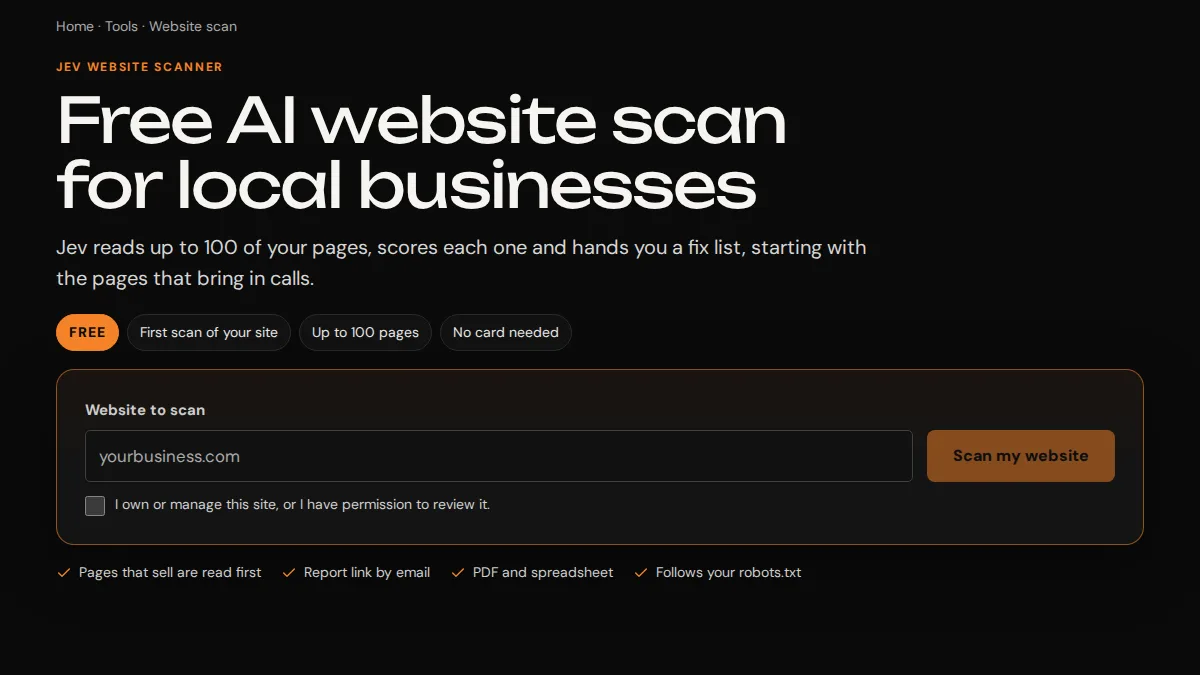
Jev scanner website input and scan action
Jev's pictured starting screen includes a website input and scan action, providing context for a page that explains a required detail. View the project
How much detail should the pending message show?
Ask what the customer needs to do or understand at that point. We can explain a missing input plainly while leaving private staff notes in their own system. If no action is required from the customer, say that once the business confirms it. A short explanation can be clearer than a list of internal stages.
Can the message estimate how long a supplier will take?
Use only an answer the business has approved and can support. We don't infer a date from the fact that an order or question has been sent. If the supplier answer is still pending, the page should describe that known state. The customer needs to see which part remains uncertain.
What if the missing detail comes from the customer?
Name the detail and provide the approved way to supply it. We can discuss whether the customer should reply to an existing message or use a dedicated change route. The page should connect that answer to the job. Asking them to submit a new sales inquiry may lose the context staff need.

The Jev scanner project image shows a website-input field and a starting action. It offers a visible example of a web task that begins with a required detail. It doesn't establish a Greenfield service-status system. We use that limited visual context when discussing how a page explains what someone needs to provide.

A delay message can avoid false certainty while still giving the customer something concrete. We ask which fact last changed and which answer remains open. That lets the page explain why the current state persists. A generic working on it phrase may leave the person unsure whether staff need anything from them.

  • Check whether the pending label has become older than the fact it describes. We can discuss a date or check point when it helps the customer understand the update. The business must define what that date actually records.
  • Use the business's approved wording for an outside dependency. Our page should avoid blaming a named supplier or sharing an unconfirmed explanation. Staff decide what can be stated publicly.
  • Keep a route for someone who already sent the missing detail. We can ask what the receiving team needs to locate that answer. The customer shouldn't have to repeat sensitive material through a general contact form.
  • Ask who can correct the status if it is wrong. Our proposed page needs a real contact for that question. A feedback control with no receiving responsibility leaves the same uncertainty unresolved.

Send a progress question to the team holding the job record

A customer asking about current work needs a contact who can find that work. We distinguish that route from a new service request and ask what identifying detail staff require.

  1. Choose the record reference Ask the service team how it locates an existing job. We can use a label the customer recognizes and provide a path if the reference is missing. The form should avoid requiring information that only staff can see.
  2. Confirm the recipient Identify the person or team with access to that record. Our test should follow the message to that destination. A general address may accept email without ensuring someone can answer the specific progress question.
  3. Inspect the first staff view Use a marked sample to see whether the recipient gets the job reference and the question together. We can adjust the fields when an essential link is lost. The business decides how it responds after identifying the work.

The status contact may need a different set of fields from the new-job form. We ask the team to explain which information already exists in the record. A returning customer shouldn't be asked to rebuild the whole project history simply to clarify one update. The interface can keep the current question in focus.

W3C's form guidance emphasizes clear feedback about errors and successful submission. We apply that to the message route after checking its behavior. If only the question was recorded, the page should describe that fact. It shouldn't present a changed service status as the result of contacting the team.

Should a progress message create another job record?
The business needs to define how that message relates to the existing work. We can discuss attaching it to the appropriate record if the system supports that behavior. The proposed feature should state what it actually does. A message placed in a separate inbox may need a manual link made by staff.
What if the customer lacks a job number?
Give them an approved way to ask for help locating the record. We can collect the details staff need for that first check. The business should define how the person is identified before private job information is returned. The page must avoid exposing other customers' records through a loose search.

Correct the status explanation wherever customers still read it

An approved wording change may affect a page and the messages linked to it. We identify those places before a correction so a customer doesn't keep receiving an older explanation.

  • Find the text your team currently sends when work enters the relevant state. We can compare it with the page description and ask which version reflects the approved process. A small difference in wording may change what the customer expects.
  • Identify whether staff insert the message manually or a system sends it. Our proposed update needs the right owner for that surface. Editing the website alone won't alter a template controlled by another tool.
  • Keep the meaning of any timestamp clear. We ask whether it marks the last fact change or the last time staff checked the record. Those dates can differ, and the customer should understand the one displayed.
  • Ask what happens to messages already sent with the old wording. The business decides whether affected customers need a correction. We can discuss the content required once staff confirm which records are involved.

A wording correction is worth making even when the underlying service state remains unchanged. We suggest explaining the corrected meaning clearly instead of letting a new sentence look like progress on the job. The customer may reasonably assume a fresh message means something happened. Staff should approve the distinction.

Avoid treating a revised page date as proof that every record was checked. We can discuss how the system supplies the displayed date and what it means. A page may change its general explanation while the individual job is still waiting on the same input. Those updates need their own accurate labels.

Who approves a changed status phrase?
Use the person responsible for the actual service process. We can draft clearer words, but they must confirm the meaning. A marketing editor may spot confusion without knowing whether a job is held or accepted. The approval should resolve that operating question before the phrase is used for customers.
Can we simplify a complicated internal stage?
Yes, when staff approve the simplified meaning and it gives the customer an accurate next action. We can leave an internal code out of the public message. The shorter wording should still preserve any important condition. A plain label is effective only when it describes the state correctly.

Try an unresolved update with no invented promise of progress

A hypothetical job can show whether the status page explains an open dependency clearly. We ask a reader what action they would take after seeing the proposed message.

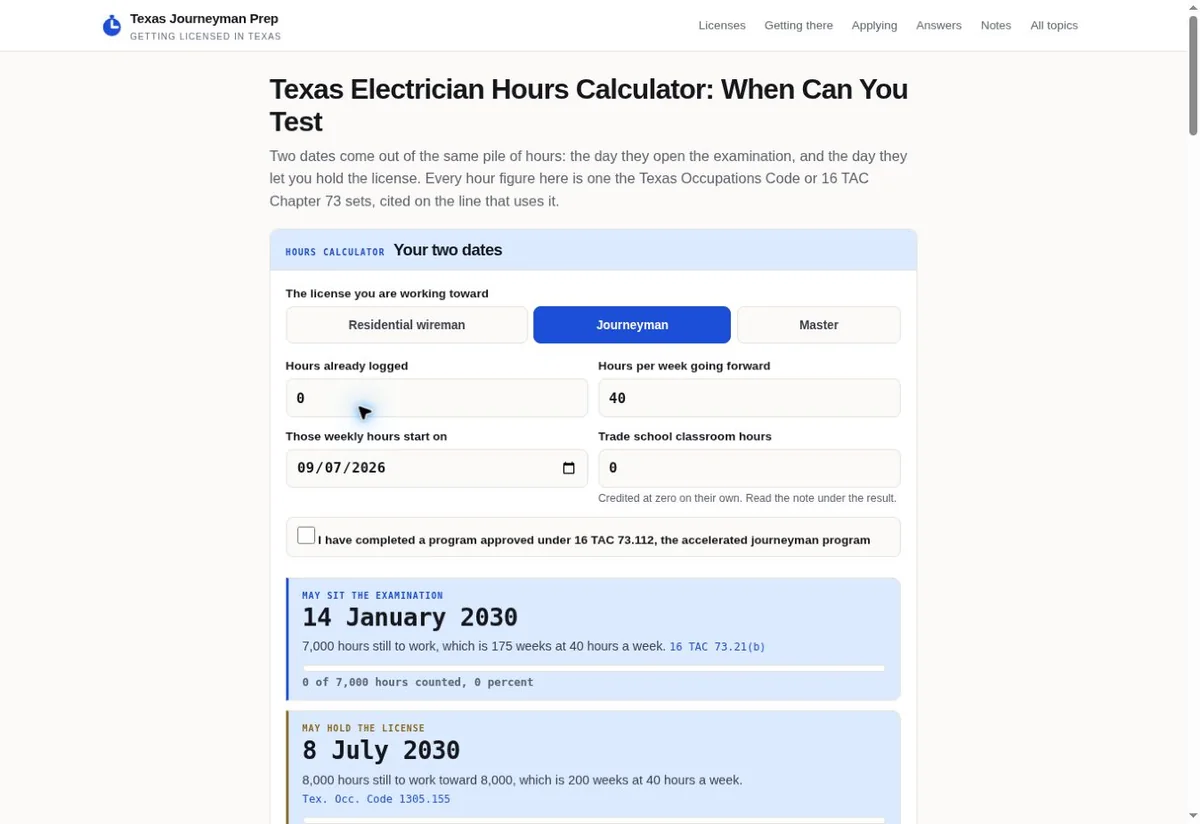
Texas Journeyman Prep calculator with labeled fields
The Texas calculator presents separate planning fields. Their visible labels offer a reference for organizing a proposed service-status question. View the project
Hypothetical example A proposed Greenfield service update awaiting an identifying detail

Before

  • A fictional customer has existing work with a local service business. Staff need one detail before they can continue the next check. The page displays pending with no explanation. The customer cannot tell whether they need to answer or whether the business is waiting on somebody else.
  • The customer sends a new request through the main sales form. That message reaches a team that doesn't hold the existing record. They now have two conversations, while the original service team still lacks the needed input.

After

  • We would propose an update that names the missing detail at the level the business approves. It would identify whether the customer needs to provide it and give the correct route. The request would stay linked to the existing work rather than becoming an unrelated new inquiry.
  • The screen would describe what remains pending after the answer is sent, until staff confirm a new state. No completion date would be inferred from that submission. This exercise claims no real Greenfield customer, service result or tested live behavior.

The Texas Journeyman Prep calculator pictured here groups named inputs around a planning task. We can discuss that visible structure when deciding how a status question should ask for context. The image doesn't prove delivery of a message or progress on another business's work. The actual service route needs its own check.

A concept test can ask whether the reader believes they must act and whether they think the job is complete. We compare those answers with the business's intended meaning. If the screen creates a different expectation, we can revise it. The exercise should reveal ambiguity before the wording is attached to real records.

Should the sample contain real private job details?
Use an agreed fictional record while discussing the screen. We can make the example specific enough to test the meaning without showing a customer's information. Staff should supply the structure of the actual process, including the unresolved input. Their approval settles whether the proposed message reflects it.
What if the customer has already supplied the detail?
The proposed page needs a route for that mismatch. We ask the service team how it checks the earlier answer and corrects the record. The website should not imply that repeating the information automatically changes the status. Staff still need to confirm the right input is attached to the job.

Remove a temporary notice when its condition has ended

Status notices need an assigned owner able to check their current meaning. We plan their removal around staff-confirmed facts while keeping existing customers' help routes available.

  1. Define the ending condition Ask what event makes the notice inaccurate. We can record that as the reason to remove or revise it. A calendar date may prompt a check, while the business still needs to confirm the actual state.
  2. Assign the check Choose the team that can answer whether the condition ended. Our content work depends on that answer. A general reminder should lead to a real check of the operating fact before the notice disappears.
  3. Inspect the affected route After the approved change, follow the customer's path from an earlier link. We check whether they see an accurate current explanation and a usable contact. The end of a notice shouldn't leave a saved link unexplained.

A shared notice may explain a temporary pause affecting several records, while an individual job has its own state. We ask staff to keep those meanings distinct. Removing the shared notice doesn't prove every job progressed. The customer should still be able to locate the explanation that applies to their particular work.

Keep a clear reason for a changed notice in the business's maintenance process. We can discuss how staff recognize when an older message needs attention. That is especially relevant when a page is edited by someone outside the service team. The editor needs the approved fact and the places that use it.

Should old notices remain available as an archive?
The business should decide whether the dated record still helps customers or staff. We can discuss a clear archived state if it remains public. A visitor needs to know that the former condition has ended. The page should avoid presenting old instructions as current simply because the URL still loads.
What if staff cannot confirm the ending condition?
Keep the uncertainty visible and identify who can settle it. We can revise the explanation if the business approves more accurate wording. Removing the notice by guesswork may leave customers with a misleading impression. A maintenance check needs an actual answer from the people who know the service state.

Check the difference between a page update and a job update

A status feature should show how its wording connects to the underlying record. We help an owner inspect that connection before relying on a page to communicate service progress.

A proposed acceptance check for status changes
Change attemptedSystem fact to establishCustomer reading to inspect
General explanation changesWhich template or page text changed, without assuming any job state changed.We ask whether the reader sees a clearer definition or thinks their particular work advanced. The label and date should match the actual change.
One job receives an answerWhether the answer reached the record used by the assigned team.The message should explain what was received. Staff still need to confirm any resulting service-state change.
Status contact changesWhich destination now receives existing-customer questions.We test the contact choice and the staff view. A visible new address doesn't prove that the recipient has access to the job.
Temporary condition endsThe business's confirmed answer about the condition and its affected records.The notice can be retired once the owner approves it. We check the old customer route for a clear current destination.
  • Use an identified test record when trying a state change. We ask staff to confirm which values actually moved. The customer screen shouldn't suggest more progress than that test establishes.
  • Inspect the status on a phone as well as the staff view. Our exercise should include the label, its date and the next action. An understandable internal record may still produce confusing public words.
  • Try the route with a missing job reference. We can check whether the visitor receives a practical way to locate their work. The business controls how private information is returned after that check.
  • Keep test observations separate from business results. A working sample demonstrates the checked behavior under those conditions. It doesn't establish faster repairs, more repeat business or a response time for every customer.

Ask a supplier how it will handle a connected system that changes its status labels later. We can discuss which part of the site uses those labels and who must approve a new mapping. That question affects ongoing maintenance. The buying conversation should cover the source of the state as well as its appearance.

Buy a status explanation the service team can maintain

An existing-customer feature needs a clear source for status facts and a team that can answer questions. We discuss those responsibilities alongside the screen so the work remains practical.

What should we show you before pricing this work?
Bring the current status message and an anonymized example of the question it caused. We need the staff member who knows what the message means operationally. The first call is free. From those inputs, we can discuss whether the page needs clearer wording or a deeper connection to existing job records.
Does every business need a customer status portal?
A simpler page and contact route may be enough for the task. We ask what customers need to see and which records the business can maintain. A connected portal needs access and behavior checks beyond a static explanation. The feature should fit the actual process instead of adding a system staff cannot keep accurate.
How should we compare the proposed cost?
Ask which status states and systems are included. We can discuss the sample checks for pending information, missing references and expired notices. The price should explain any dependencies that require another supplier or business input. A polished display alone may leave the source and maintenance of its claims unsettled.

The customer-facing answer should reflect what your team knows today. We can make the wording easier to follow and the contact easier to find, while the service team retains authority over the job. That separation lets an owner judge the website task without confusing it with a promise about the underlying work.

Begin with the state customers misunderstand most often. We can follow it through the current screen and the staff record, then discuss the missing explanation. A focused first task may show which connection matters before the business considers a larger system. Your actual operating answer gives that conversation its starting point.

Sources

From the businesses we've worked with

“Trojan Digital Marketing gave our website a complete make over. The board members and I are absolutely thrilled!”
C. Teague McClendonAmerican Veteran Service Corp

Marketing help for Greenfield businesses

Based in Indianapolis, we serve central Indiana and clients across the United States.

Request a free strategy call

Greenfield, Indiana

Service area map

Explore Greenfield on OpenStreetMapArea reference; this is not an office pin. Map © OpenStreetMap contributors.