Need help?Jamie

Market service plans

Restaurant Website Design in Midtown Houston

Late on a Saturday, a diner in Midtown, Houston opens your site on a phone to check whether the kitchen's still open. They find a blurry photo of the menu and order through a delivery app instead.

Trojan Digital Marketing rebuilds restaurant sites so the menu is real text and the order button takes diners to the right ordering page on a phone. Midtown's street meters run until midnight Monday through Saturday, according to ParkHouston, so people are out late. Your site should list kitchen hours apart from bar hours. We build remotely from Indianapolis.

Send a photo of your current menu and the link diners use to order today. The first strategy call is free, and during business hours we aim to reply within five minutes.

  • Menu written as text, readable without zooming
  • Order links tested from a phone before launch
  • Direct orders counted apart from app orders

We run more than 1,400 live websites, and on a restaurant build we place a test order from a phone through your ordering system before the new menu goes live. We'd spend extra time on that test before polishing the design, since a button that opens the wrong page loses the order while the diner is still choosing. Jeff Clerisier, who's built websites since 2016, founded Trojan Digital Marketing in March 2018 and still runs it.

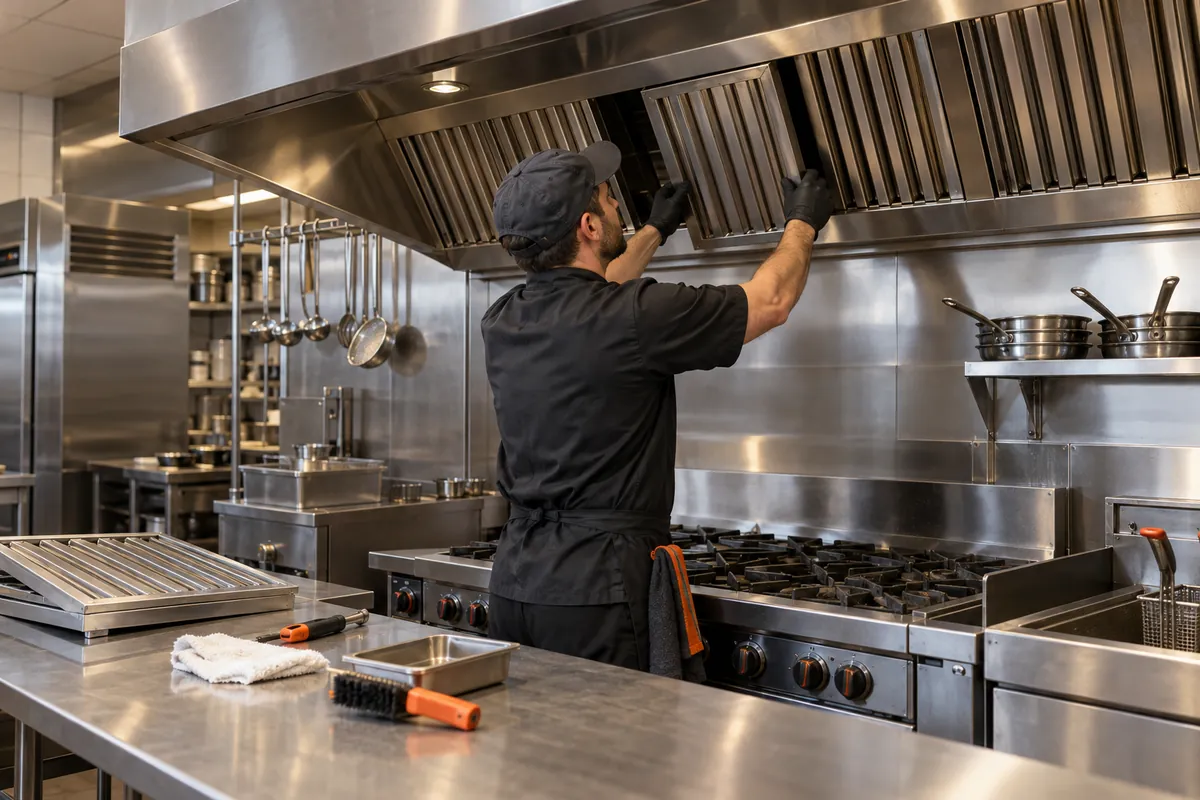
Illustrative business scene: technician servicing filters in a stainless restaurant extraction hood
IllustrationThis page drawn as a wireframeThe headline, highlights and button from this page, redrawn in desktop and phone layouts. It’s an illustration of page structure and isn’t a client site.PAGE WIREFRAMEtrojandigitalmarketing.com/houston-midt…Restaurant WebsiteDesign in MidtownHoustonMenu written as text, readable without…Order links tested from a phone before…Direct orders counted apart from app…Book a free website strategy…010203RestaurantWebsiteDesign inMidtown…Menu written…Order links…Direct orders…Book a free…

YOUR WORKING BRIEF

Choose where to start

Select the parts you want to discuss. Your choices carry into the inquiry form.

Discuss this service0 priorities selected

SEE HOW WE CONNECT THE PIECES

Explore the decisions
behind our plan.

A website built around the next customer decisionMESSAGE · EVIDENCE · ACTION
  1. A clear offer
  2. Evidence for the customer
  3. An action that works on mobile
A website built around the next customer decision

The purpose of this website design offer is to make direct order and collection journeys easier for diners choosing a meal on a phone to evaluate. Trojan Digital Marketing works nationally with businesses serving Midtown Houston. For a neighborhood restaurant offering collection, the plan would resolve important information gaps and create a clear opportunity to start an order or contact the restaurant through the business’s actual process.

Midtown Houston: Official District and Business Resources documents the local commercial context. Midtown Houston presents arts, entertainment, parks and business resources. The proposed website design scenario applies that context to direct order and collection journeys. We work as a national agency; this page describes a service market, not a local agency office.

Questions about website design in Midtown Houston, Houston, Texas

What does a restaurant website cost with Trojan Digital Marketing?

A focused rebuild of your menu and ordering pages is priced after the free strategy call. The website package with a published price is the Marketing Startup Kit: $7,997, or three monthly payments of $2,799, covering a custom 15-page website, 20 blog posts, Google Business Profile optimization and three months of consulting. The call is where you'd pick between them.

Who updates the menu when prices change?

Your staff can, and the site is set up so a price only has to change once. The menu lives in one list your kitchen confirms, and every page showing a dish reads from it. Before handover, whoever does the updates walks through a real price change with us, so the first one after launch isn't guesswork.

Can the new site keep the ordering system we already use?

Usually, and that's confirmed before any design starts. You'd tell us which ordering system you use and whether it offers a direct menu link or an embed. Each menu section then sends diners to the matching spot in it. If a delivery app handles some orders, the site says so plainly, so nobody thinks they're ordering straight from your kitchen.

Why not just post a photo of our printed menu?

Because a photo of a menu is hard to read on a phone, and search tools may not read the dishes inside it at all. Written as text, each dish can carry its price and any dietary note your kitchen approves. Diners stop pinching to zoom, and someone searching for a dish you serve finds words on your page to match.

Should our site explain pickup at our Midtown spot?

Yes, in the words your staff use on the phone. People picking up want to know where to stop and who hands over the bag, and one short section with a photo of the door can answer that for everyone. We work from Indianapolis, Indiana, so every pickup detail, down to which door to use, comes from your team.

How long does a restaurant website take?

It depends mostly on how fast menu text and photos arrive, so the schedule is set once scope is agreed. In the Startup Kit's example schedule, discovery takes week 1, design and build run through weeks 2 to 4, and launch lands in weeks 9 to 12. A menu and ordering rebuild on its own is scheduled once its scope is clear.

What if direct orders don't go up after launch?

Then we find the step where diners give up. Your ordering system shows how many orders started from the site, and the site's analytics show how many people tapped the order button. A big gap between those two numbers points at the handoff, while very few taps point back at the menu page itself.

“I had a great experience working with Jeff…”
Heather DoanGoogle review
“…drove a noticeable uptick in leads within just a few weeks…”
Mike BamosiGoogle review

Trojan Digital Marketing is based in Indianapolis and serves Houston businesses remotely.

Read our Google reviews

Where does a phone order break down?

Website design for a Midtown, Houston restaurant fixes the order path one step at a time, from the moment a diner opens the menu to the pickup.

Step on a phoneWhere it often breaksWhat the rebuilt page does
Opening the menu
A menu photo that needs pinching to read
Menu sections written as text with prices
Choosing a dish
Dietary notes missing or buried in a footnote
Kitchen-approved notes next to each dish
Tapping order
The button opens an app's home page instead of your menu
A link straight to your menu in the ordering system
Picking up
Nothing says where to stop or which door to use
Pickup steps and a door photo your staff confirm

Who handles which part of the menu rebuild?

A restaurant website rebuild in Midtown, Houston splits into what your kitchen and front of house confirm and what we build and test before launch.

  • Current dishes and prices, plus any dietary notes you stand behind
  • Which ordering system and delivery apps you use now
  • Pickup steps as your staff explain them on the phone
  • Who updates the menu when prices change
  • Menu pages written as text from your approved list
  • Order buttons linked to the matching menu section
  • A test order placed from a phone before launch
  • Direct orders and app orders counted separately

Design around the real customer decision

We'd start with what a diner can read comfortably on a phone. Before designing, we go through your menu source, your ordering system and your pickup routine with staff. Dish descriptions stay as text, and the page says plainly when an order moves to an outside service. You approve menu changes and arrival steps. A link that opens isn't enough for us: we place a test order, then measure the steps your restaurant controls.

Implementation priorities for this offer

We would turn a readable menu and order handoff redesign into a working customer journey with the business’s approval. The main priority is a menu available only as a large image and an unclear third party ordering handoff. We would check content, layout, form behaviour and the receiving workflow together, then document who maintains the parts that change. That keeps the design connected to the service the client can actually fulfil.

A proposed scenario for Midtown Houston

A proposed restaurant redesign would make the current menu readable as text and connect each appropriate route to the ordering system. We would distinguish a direct inquiry from an order placed with an external platform, preserving the restaurant identity throughout the handoff. The interface would not promise that a special request can be fulfilled simply because a text box accepts it. Collection instructions would be approved by staff and tied to the actual ready message. On a phone, visitors could find item descriptions without zooming a poster. The restaurant could then review whether ordering friction comes from the menu, the handoff or the external checkout.

An operating decision to resolve

A readable menu supports decisions before checkout. Keep dietary or ingredient statements tied to approved restaurant information and provide a direct route for questions.

Decisions and evidence for the proposed engagement
DecisionWhat the business would confirm
Customer obstacle
A menu available only as a large image and an unclear third party ordering handoff.
Evidence to review
Approved menu content, item photographs and fulfilment policies.
Useful inquiry context
Meal choice, collection or dining preference and special requests the business can review.

Sources & further reading

Talk with Trojan Digital Marketing

Meters that run till midnight, and a site that keeps up

Midtown's street meters stay on late, and so do its diners. Your site should answer the late questions fast: is the kitchen open, where do I park, can I still order?

That meter schedule tells you something about the neighborhood. People are out late, parking on the street and deciding where to eat while they walk. A group leaving a bar at 10:40 p.m. wants to know one thing: will your kitchen still feed us? If your site shows a single set of hours that covers the bar, they'll walk in hungry and leave annoyed when the grill is cold.

We'd split the hours on your site the way your staff actually run the night. Dining room hours, kitchen hours, bar hours and the last time for online orders each get their own line. It takes more room than one tidy block. It also saves your host from explaining, again, that the bar is open but the kitchen isn't.

We'd also make the hours block easy for your staff to change. When the kitchen closes early for a private party or a slow Tuesday, someone should be able to update one field from their phone in a minute. Hours that are hard to edit are hours that go wrong.

  • Kitchen close and last call written as separate times, every day of the week.
  • The cutoff for online pickup orders, which is often earlier than kitchen close.
  • A plain parking line: street meters, a nearby garage your staff trust, or valet if you run it.
  • Where rideshare drivers should stop, so guests aren't dropped on the wrong corner.
  • Which door to use for pickup when the dining room is packed.
  • What happens on holidays, updated before each one arrives.

Buttons sized for a thumb at a crowded bar

A diner holding a drink in one hand is tapping your site with one thumb. Order, call and directions buttons have to be big, spaced out and impossible to miss.

The buttons a restaurant's phone layout needs, and how we'd size and place each one
ButtonJob it doesHow we'd build it
Order pickupStarts an order in your systemThe largest button on the screen, sitting in the first view with nothing crowding it.
CallReaches the host standIts own button with room around it, so it's never tapped when someone meant Order.
DirectionsOpens a map appNear the address, labeled with the street name so people know it's the right spot.
Menu sectionsJump to starters, mains, drinksA row of chunky tabs near the top of the menu page, with space between each.
ReserveBooks a tableOnly if you take reservations, pointing straight at your booking tool's form.

We treat the 24 pixel rule as a floor and build the Order button well above it. It's the most valuable tap on your whole site, so there's no reason to make it dainty. Small text links like 'order here' tucked in a paragraph are fine for extra routes, but the main path should be a big, obvious button.

Spacing matters as much as size. When Call and Order sit shoulder to shoulder, somebody with a thumb and a bit of tequila will phone your host stand by accident. We'd rather give each button breathing room and let the page run a little longer.

Should the Order button stick to the bottom of the screen?
Often, yes, on the menu page. A slim bar with Order and Call that follows the diner down the menu keeps the next step in reach. We'd keep it short so it never covers the dish they're reading.
What about people using a keyboard or screen reader?
Every button gets a clear label and a visible focus outline, and it works with a keyboard alone. We test that before launch, since some diners browse that way every day.

Why the PDF menu fails the pinch test

A menu that only exists as a PDF or a photo forces diners to pinch, zoom and scroll sideways. Rebuilt as text, it fits the phone instead.

Hypothetical example A Midtown restaurant's dinner menu, first as a PDF link and then rebuilt as text on the page

Before

  • The Menu button downloads a two-page PDF designed for a printer.
  • The QR code on every table still points at last year's PDF, so dine-in guests see old prices.
  • Happy hour and brunch live in two more PDFs that nobody has opened since spring.
  • The PDF is a scan of the printed menu, so a screen reader finds no words to read aloud.
  • The PDF has no link to order, so diners back out and hunt for the button.

After

  • The menu is written on the page in sections, with prices beside each dish.
  • The table QR codes point at the menu page's address, which stays put when the menu changes.
  • Happy hour and brunch are sections on that same page, each with its hours at the top.
  • The old PDF address redirects to the page, so anyone following a stale search result lands on today's prices.
  • Every section ends with an order button that opens that part of your ordering system.

We get why PDFs happen. The designer already made a beautiful print menu, and uploading it takes thirty seconds. The trouble starts the first time a price changes and nobody has the design file. Six months later the site shows last season's prices, and your servers are apologizing at the table.

  1. Gather the real menu We'd ask for the current printed menu plus any specials that run every week, then have the kitchen mark what's changed.
  2. Type it as sections Starters, mains, sides, drinks, each as a heading with dishes and prices underneath.
  3. Add only notes the kitchen stands behind Spice level, vegetarian, contains nuts. If the chef won't sign off on a note, it stays off.
  4. Keep a printable copy if you like A PDF can live at the bottom for people who want to print. The page itself is the main menu now.
  5. Redirect the old PDF address Anyone who bookmarked or linked the old file should land on the new menu page.

Dish photos that sell without dragging the page

One great photo at the top sells more than twenty slow ones. The trick is picking a few shots and sizing them so the page still loads quickly on cell data.

  • One hero photo per page, chosen for the dish you most want people ordering.
  • Photos sized for phones, so nobody downloads a billboard to see a burger.
  • Real dishes from your kitchen, shot near a window in daylight.
  • Alt text that names the dish, like smoked brisket tacos with pickled onion.
  • No autoplay slideshow on the menu page, which fights with scrolling.
  • Fresh photos when a dish changes, so plates match what arrives.

On most restaurant pages, the largest thing on the screen is that big food photo at the top. So the photo is often what decides whether your page feels quick or sluggish. We'd size it properly, load it first and hold the rest of the images until someone scrolls toward them.

Speed isn't vanity here. Someone standing on a Midtown sidewalk with two bars of signal is deciding between you and the place next door. If your menu is still loading while theirs is already open, your beautiful brisket never gets its chance.

Our rule of thumb is one photo per section of the menu at most, and none where a dish name says enough. Guests forgive a menu without pictures. They don't forgive one that freezes while they're trying to order.

Can we use the photos a delivery app took of our food?
Check your agreement with the app first, because those photos may belong to them. Your own shots are safer, and they'll match what your kitchen actually plates.
Should the photo show the dish plated for dine-in or the way it arrives in a takeout box?
Show the version most people order through the site, and say which one it is in the caption. If most web orders are pickup, a clean shot of the open box sets the right expectation. The plated version can live in the dine-in section of the menu.

Dish descriptions a hungry person can picture

Menus written in kitchen shorthand make diners guess. A plain sentence about what's on the plate, and how big it is, sells the dish and cuts down on questions.

Hypothetical menu lines rewritten so a first-time diner can picture the plate
Kitchen shorthandRewritten for the pageWhat changed
Brisket, pickled onion, salsa verdeSmoked brisket tacos, three to an order, with pickled red onion and a tangy green salsaSays it's tacos, how many and what the sauce tastes like.
Seasonal greensCrisp mixed greens with whatever's fresh this week, ask your server what's in todayHonest about changing, with a nudge to ask.
The Big OneOur half-pound burger with cheddar, bacon and fries, built for serious hungerA fun name keeps its charm and gains a description.
QuesoWarm white queso with chips, big enough for two to shareAdds a portion hint, which saves a question at the table.

We keep the chef's voice where it's fun and add plain words where a stranger would stall. A regular knows the Big One. A first-timer on their phone at the bar next door does not, and they won't text you to ask.

Portion hints are an underrated kindness. 'Big enough to share' or 'three to an order' answers the question people are embarrassed to ask. It also nudges groups toward the right amount of food, which makes for a happier table and a better tip for your server.

Won't longer descriptions clutter the menu?
Not if each one stays to a single line. We'd trim adjectives first and keep the facts: what it is, how much comes and anything surprising about it.
Should the website menu match the printed one word for word?
Match the dishes and prices exactly. The descriptions can run a bit longer online, since nobody's squinting at them in candlelight.

Calories, allergens and claims the kitchen can back

An independent spot with one location isn't covered by the federal calorie labeling rule, but allergy and diet questions still land on your menu page every night.

Do we have to list calories on our website menu?
The federal rule covers chains with 20 or more locations under the same name. A single independent restaurant isn't one of those, though you're free to list calories if the kitchen has reliable numbers.
Can we mark dishes as gluten-free?
Only if your kitchen can truly back it, shared fryer and all. Some kitchens use a line like 'made without gluten ingredients' plus a note about cross-contact. Your chef decides the wording, and we write it exactly that way.
Should allergens be icons or words?
Words, with an icon beside them if you like the look. Icons on their own can confuse people and don't read well aloud for screen reader users.
Who signs off on allergy notes when the menu changes?
One named person in the kitchen. We'd set up the menu so a dish can't go live with its allergy line blank, which forces the question every time.

We're a marketing team, so we'll never be the ones deciding what's safe for someone with an allergy. What we can do is build the menu so the right person is asked, every time, before a dish goes up. If you're ever unsure about a claim, ask your local health department or your attorney before it appears on the site.

Diet notes also help diners who never ask out loud. A vegan in a group of six might quietly scroll your menu before agreeing to your place. Clear notes on the page let them say yes without making a fuss at the table.

  • Keep one master list of dishes and their allergy notes, owned by the kitchen.
  • Show the allergy line on the dish itself, never only in a footnote.
  • Write 'ask your server' for dishes that change daily, instead of guessing.
  • Date the menu page, so anyone can tell when notes were last checked.

Birthday dinners and buyouts on the same small site

Birthday dinners, office outings and full buyouts all start as one email. A short inquiry form gets you the details you need on the first try.

Large party emails tend to arrive with half the facts. 'Hi, can we do a thing for about 20 people sometime next month?' Your manager replies with five questions and the guest answers three. A week later nobody's booked anything. A form with the right handful of fields fixes that first round trip.

We keep these forms short on purpose. Guests abandon long forms, so a field stays only if your manager actually uses it to price or plan the night. Anything that's just nice to know can wait for the phone call.

We'd also put a short line above the form saying what size groups you can take and whether you close for full buyouts. That one sentence spares your manager from politely declining a 90-person party in a room built for 30.

  • Date, plus a second choice in case the first is taken.
  • Rough head count, with a note that it can change.
  • Seated dinner, standing drinks or a mix.
  • Any allergies or diets you'll need to plan for.
  • Name, phone and email, with how they'd like to be contacted.
  • A free text box for anything else, placed last.
Should we list private event pricing on the site?
If your minimums are stable, a range can save everyone time. If they swing with the date and day of the week, we'd explain how pricing works instead of posting a number that's wrong half the time.
Where should event inquiries go once someone submits the form?
To whoever books events, plus a shared inbox as backup. We test that routing before launch by sending a fake inquiry and watching where it lands.

The launch-week drill, one phone at a time

Launch day is when mistakes get expensive. We run a short drill on several phones before the new site replaces the old one.

  1. Place real test orders From an iPhone and an Android, on cell data, through every order button. Then cancel them with your staff's help.
  2. Match every set of hours Website, Google profile and your ordering system should all show the same kitchen hours and pickup cutoff.
  3. Tap every old address Old menu PDFs, old page addresses and any link from your social profiles should land somewhere sensible.
  4. Check the event form end to end Send an inquiry and confirm both the auto reply and the staff email arrive.
  5. Confirm the tracking fires Order taps, calls and form sends should each show up in analytics before we call it live.
  6. Brief the host stand Tell the staff what moved and where, so a regular who calls looking for the old menu gets a friendly, confident answer.

Across the 1,400-plus websites we keep live, handoffs are where we look first when something breaks. A button that works on a laptop fails on one phone, a redirect points at the wrong page, an email lands in spam. The drill exists to find those before a hungry customer does.

Can we keep the old site up while the new one is tested?
Yes. We build and test the new site at a private address, and the switch happens only after the drill passes. Your regulars never see a half-finished page.
What if something breaks on a Saturday night after launch?
Tell us, and we'll fix what we can remotely. For anything urgent at the ordering system itself, your provider's support line is the fastest route, so keep that number handy.

What we'd watch for the first ninety days

After launch, trouble usually shows up as something small you notice at the host stand. Match it to its likely cause and check the cheapest fix first.

Things a restaurant may notice after a new site goes live, what usually causes them and where to look first
What you noticeLikely causeFirst thing to check
Sunday orders dip after the kitchen starts closing earlyThe site or the profile still shows the old Sunday hoursSunday hours on the site, the Google profile and the ordering system, side by side
Calls about parking pile up on big event nightsThe parking line covers a normal Tuesday and nothing elseWhether the parking note says what changes when the neighborhood is packed
Event forms arrive without head countsThe head count field is optional or sits below a long message boxThe form on a phone, and whether head count is required and near the top
Pickup orders land after the grill is offThe online cutoff in the ordering system is later than kitchen closeThe cutoff setting, then the cutoff line printed on the menu page
App orders hold steady while direct orders riseNew direct orders come from people who never used the appsTotal orders, plus which regulars still order through an app out of habit

Most launch problems show up at the host stand before they show up in any chart, usually as the same question asked three nights running. Keep a notepad by the phone for the first ninety days and jot down what guests ask. We'd set those notes beside the dated list of every change, menu prices included, so a site problem and a menu problem don't get mixed up.

Direct orders went up but app orders dropped. Is that a win?
Usually it's a good sign, since direct orders don't carry an app's cut. We'd still check total orders, because what you want is more meals sold overall.
How soon will we know if the new site is working?
The first week tells you whether the plumbing works: orders go through, forms arrive and the hours match everywhere. Whether the site sells more meals is slower to judge, because restaurants run on seasons. We'd hold this fall against last fall before calling it either way.

Sources

From the businesses we've worked with

“Sales have been better the last few months thanks to some additional marketing efforts. Way to go, Jeff!”
Andrew MontiethGeorgetown Market · Jeff was its marketing director, 2023 to 2025

Marketing help for Houston businesses

Trojan Digital Marketing is based in Indianapolis and serves Houston businesses remotely.

Request a free strategy call

Houston, Texas

Service area map

Explore Houston on OpenStreetMapArea reference; this is not an office pin. Map © OpenStreetMap contributors.