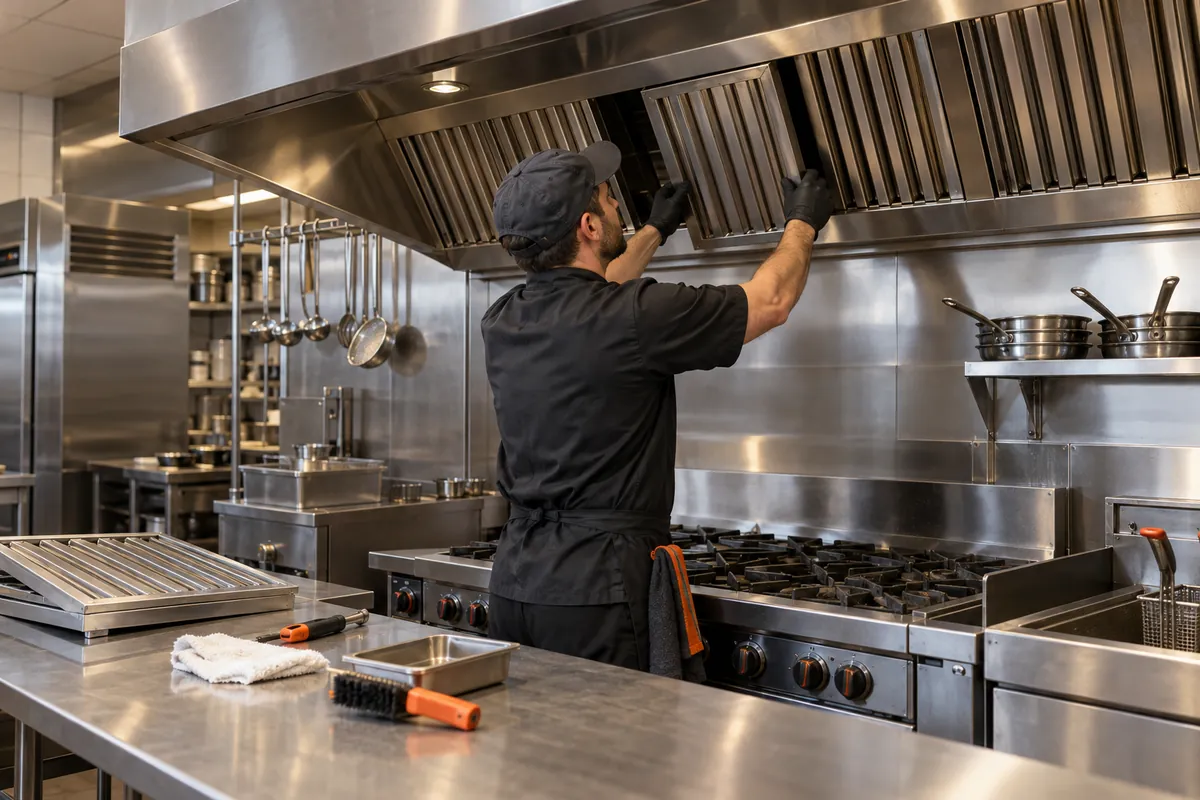
You cook in a kitchen customers never see, you deliver all over downtown, and you're not sure Google Maps has room for a business like yours. It can, once the profile matches how you really work.
Google Maps optimization from Trojan Digital Marketing sets up a Downtown Core, Phoenix, Arizona caterer's Google Business Profile that way. If nobody's served at your address, we hide it and list the areas you deliver to, as Google's guidelines ask. After that, every customer who completes an order gets the same short review request.
Share your Google profile link if you have one. The first strategy call is free, and during business hours we aim to reply within five minutes.
Storefront or service area, settled first
Review requests every customer gets
Profile calls and clicks tracked
Our own Google Business Profile runs as a service-area listing, the setup a kitchen-only caterer usually needs. We also report honestly: in July 2026 a local Indianapolis-area business we work with drew 5,086 profile views, up 81.8% on July 2025, while interactions rose only 15.5%, and we'd point out a gap like that in your numbers too. Jeff Clerisier founded the company in March 2018 and still runs it.
Illustration
YOUR WORKING BRIEF
Choose where to start
Select the parts you want to discuss. Your choices carry into the inquiry form.
We set up Google Business Profiles for caterers, hospitality operators and teams serving downtown workplaces, starting with one question: do customers ever come to your door? The project centers on an eligible Google Business Profile that accurately represents the real business. For a business offering office meeting catering, that means helping a prospective customer understand whether the delivery arrangement and menu fit the meeting and how to send a catering request. The proposed examples below show how the work can be scoped around a real operating process.
Questions about Google Maps and Business Profile in Downtown Core, Phoenix, Arizona
Profile work on its own is priced after the free strategy call. It's also part of the Marketing Startup Kit, which is $7,997 and includes Google Business Profile optimization and a custom 15-page website among other pieces. Which route fits depends on whether your current site gives the profile a strong page to link to.
Should our profile show a downtown address if customers never visit?
Not if nobody's served there. Google's guidelines ask businesses that don't serve customers at their address to hide it and list a service area instead. Our own Google Business Profile runs that way, as a service-area business with no public street address. If you do run a staffed storefront or pickup counter downtown with posted hours, showing the address is the right call.
Can a downtown caterer show up in Maps outside the Downtown Core?
It can, but expect the strongest showing close to where you're based. Google says distance to the searcher is one of the things it weighs, so a service area tells Google where you deliver without promising rankings across all of it. For neighborhoods you deliver to often, a delivery page on your site that names them gives those searches real content to match.
How would you ask customers for reviews?
Everyone who completes an order gets the same short request with a direct link to your profile, sent soon after delivery. Asking only the customers you expect to be happy goes against Google's review policies, so we don't. We'd suggest reviewers mention what they ordered, since "office lunch for 30" tells the next organizer more than five stars alone.
What proof do you have that profile work pays off?
The clearest numbers we can share come from a local Indianapolis-area business we work with. In August 2026 its profile showed up in 2,087 searches, up 118.8% on August 2025, and drew 7,860 views, up 92.3%. That's one business in another state, so read it as evidence of the work. It can't forecast your results.
What gets checked after our hours or services change?
The profile and your website, in that order, since buyers see both. We update the profile before the site and date each change, so later calls and clicks can be read against it. Holiday hours get their own entry, so the profile doesn't show you open on a day the kitchen's closed.
“I had a great experience working with Jeff…”
Heather DoanGoogle review
“…drove a noticeable uptick in leads within just a few weeks…”
Mike BamosiGoogle review
We have more than 1,400 live websites.
Trojan Digital Marketing is based in Indianapolis and serves Phoenix businesses remotely.
Service-area or storefront profile: which fits a downtown caterer?
For Google Maps optimization in Downtown Core, Phoenix, the profile type gets settled before anything else. This compares the two setups a catering business might need.
What changes
Service-area profile
Storefront profile
When it fits
Service-area profile
You cook in a kitchen customers don't visit and bring the food to them
Storefront profile
Customers come to a staffed address during posted hours
Address on the profile
Service-area profile
Hidden, with the neighborhoods you deliver to listed
Storefront profile
Shown, with a pin at the door
What helps it show up
Service-area profile
Accurate categories and reviews that name real orders
Storefront profile
Distance to the searcher and reviews that mention the room
A caterer may work from a production kitchen that customers do not visit. We would settle that operating model before editing its Google Business Profile. The useful outcome is an accurate representation of where the business operates and how people engage it, with the address hidden when the applicable service business rules require that treatment.
Read more
For the proposed Downtown Core caterer, the website would explain the actual delivery area and ordering process without adding a map pin at a client's office. A delivery zone is not a new business location. Profile links would lead to current ordering information, and the public phone number would reach the catering operation. Photographs would show real food and service arrangements with permission. After a completed order, the company could request honest feedback through a consistent process that does not depend on whether the customer sounds pleased. The review and inquiry logs would help the manager identify recurring misunderstandings about delivery or setup that deserve a clearer answer.
Match the profile to the production and delivery model
Business
Start from the real business.
Coverage
Identify the places it actually serves.
Office
Do not turn a service area into an invented office.
Separate service coverage from an officeUse this illustrative grid to plan coverage. Include only places the business serves; rankings need separate evidence.
The Maps work would deliver a documented operating model, a profile detail review, an approved photo and review process and a method for classifying incoming contacts. We would resolve whether customers visit the kitchen before deciding how the address should appear. We would also check that the ordering phone and website are controlled by the actual catering business.
Read more
The next priority would be current ordering information. A customer arriving through Maps should be able to understand delivery coverage, meal formats and how an order is confirmed. The profile would not gain extra locations for buildings receiving regular deliveries. During review, the manager would classify calls about new orders separately from questions about an existing delivery. That distinction can reveal whether the linked website needs clearer handoff instructions even when overall profile activity looks healthy.
Twenty service areas, and which ones a downtown kitchen should claim
Google lets a service-area business list up to 20 areas, all within about two hours' drive of its base. Pick the ones your drivers actually reach on a normal weekday.
Picture a production kitchen a few miles from the office towers, with two vans and a driver who knows every loading dock by heart. The owner's first instinct is to list every place they've ever delivered, plus a few suburbs they'd love to win. It feels like casting a wider net. In practice it muddies the profile and promises delivery the vans can't make on a busy Tuesday.
We'd start from the delivery tickets instead. Pull three months of orders, tally them by ZIP code or neighborhood, and circle the places that order again and again. Those are your real service areas. A place you reached once for a big event can stay off the list without hurting anyone.
Remember what the list can and can't do. It tells Google and customers where you'll bring food. It doesn't move your kitchen closer to anyone, and distance still counts when Google sorts local results. So a tight, honest list tends to serve you better than a sprawling hopeful one.
We also look at when orders come in. A neighborhood that only orders on Fridays might still earn a spot, but we'd note it so nobody's surprised by a quiet Tuesday there. Our goal is a list your dispatcher would sign off on without a second thought.
Sorting possible service areas for a made-up downtown caterer
Area on your list
Keep it?
Reasoning
ZIP codes with weekly orders
Yes.
Repeat orders prove you serve them well.
Neighborhoods you reach once a quarter
Maybe, if there's room.
Honest to list, though you won't show up as strongly there.
Suburbs an hour out that you hope to win
Not yet.
Listing them won't shorten the drive, and it blurs your delivery promise.
The whole state
No.
Google doesn't allow states as service areas.
Individual client offices
No.
Offices on your route are delivery stops, and they never become extra listings.
Office hours for the phone line, delivery hours for the vans
A caterer often answers phones on one schedule and delivers on another. Google's More hours setting lets you show delivery times beside your main hours, so early breakfast orders don't look impossible.
Say your vans roll out at 6:30 for breakfast meetings, but nobody answers the phone until 8. If your profile shows 8 to 5, an organizer planning a 7 a.m. board breakfast assumes you can't help. She scrolls to the next listing. Your earliest, most profitable orders just walked away because of one field.
The fix has a wrinkle. Google suggests that extra hours sit inside your main hours. So we'd set the main hours to cover the whole working day, from the first van out to the last call answered. Then delivery hours sit neatly inside, and the phone schedule goes on your website, where you can explain it in a sentence.
We'd check this field first on any catering profile, because it's so easy to miss. It's common for hours to be set once, years ago, around the phone schedule. Nobody revisits them after the breakfast menu launches, and the profile quietly turns early buyers away.
Hypothetical example Hours on a made-up caterer's profile, before and after
Before
Main hours: 8 a.m. to 5 p.m., weekdays.
No delivery hours set.
Breakfast delivery mentioned only deep on the website.
After
Main hours: 6:30 a.m. to 5 p.m., weekdays, covering the kitchen's full working day.
Delivery hours: 6:30 a.m. to 2 p.m., weekdays.
Website line: phones answered 8 a.m. to 5 p.m.; breakfast orders need a day's notice.
Name, categories and the order button, set up for a kitchen
A few fields do most of the work on a caterer's profile. Keep the name exactly as customers know it, choose categories that say what you are, and point the order link at your own form.
Profile fields for a made-up downtown caterer
Field
What to enter
What to avoid
Business name
The name on your vans, invoices and website.
Tacking on words like downtown office lunch.
Primary category
The single category that most closely completes 'this business is a' for your main work.
Picking a category for every item you sell.
Additional categories
A few that match real parts of the business, such as a bakery counter you actually run.
Filling every slot because the slots are there.
Order link
Your own order form, marked as the preferred link if you list several.
A dead link to an ordering app you dropped.
Phone
The catering line someone answers during your listed hours.
An owner's cell that rolls to voicemail.
Description
What you cook and how offices order from you, in plain sentences.
Keyword lists and claims you can't back up.
The order button deserves the same care. Google lets food businesses add ordering links, up to 10 in a category, and mark one of them as the business preferred link. We'd make your own order form the preferred one, so buyers land where your cutoffs and dietary notes live. Third-party apps can stay listed if you use them, but they shouldn't be first in line.
We'd also test every link on a phone before calling the job done. Ordering apps change their web addresses, restaurants switch platforms, and a link that worked last year can land on an error page today. A dead order button on a profile is a quiet way to lose the organizer who was ready to buy.
Photograph the food the way it actually arrives
Organizers want to see what lands on the conference table, in the real containers. Shoot your delivered setups, labels and all, and skip the fancy plated dishes you don't sell.
A full drop-off buffet on a plain office table, lids off and serving spoons in place.
A stack of boxed lunches with the name labels facing the camera.
The dietary labels up close, sharp enough to read.
A driver handing bags to a front desk, shot with everyone's permission.
Lit warmers on a set-up drop-off, showing what that service looks like.
Your team at work in the kitchen, faces shown only if they agree.
The van or delivery bags with your name on them.
You don't need a photographer for most of this. A recent phone, a window and a clean table will do. Shoot a little wide, so the whole spread fits, and take a few angles. We'd rather have twenty honest phone shots of real orders than three glossy studio photos of food you don't deliver.
Your richest source is a friendly repeat client. Ask whether your driver can snap the setup before the meeting starts, with no people or company logos in the frame. Most of those shots take ten seconds, and over a month you'll have a library that shows exactly what buyers get. We can sort, crop and caption them for the profile and your website.
Our habit is to post a handful of fresh photos monthly rather than forty in one afternoon. Small, regular additions keep the profile from looking stale, and they give us a reason to check the older photos too. Anything showing a retired menu item or old packaging comes down.
A review card in the delivery bag, and the rules it has to follow
Right after lunch lands is a fine moment to ask for a review. A small card or a follow-up email works well, as long as every customer gets the same ask.
Make the link or QR code Google's Ask for reviews option in your Business Profile gives you a link to copy and a QR code to download, both going straight to your review form.
Print a small card for every order Tuck one in every bag, big order or small, with one plain line like 'How did lunch go? Tell the next office planner.'
Send the same link that afternoon One short email after delivery, with the link and no conditions attached. Skip anything that sounds like a reward.
Handle problems without filtering If an organizer reports a problem, fix it first. She still gets the same review link as everyone else, whatever she might write.
Reply to every review Keep replies short and specific, and never share an organizer's name, company or order details in public.
Replies matter as much as the reviews. Picture a reply that thanks the organizer for listing allergies ahead and says you're glad the boxed lunches worked for her training day. A line like that tells the next organizer what you delivered and how you handle details, without naming anyone. We'd draft a few reply patterns with you and leave the final word to whoever knows the order.
Negative reviews deserve the same care. Thank the person, say what you changed if something went wrong, and offer a direct line to sort it out. Keep it calm and short. Future buyers often read those replies closely, and a steady answer to a bad day often does more for you than another five-star note.
We'd keep the card itself plain: one neutral line and the link, so it reads the same to the guest who loved lunch and the one who didn't. A calm, even request looks more trustworthy to buyers, and it keeps you well inside the rules.
Closed for a holiday, a repair or a slow week: which setting to use
Short breaks of up to six days go under special hours. Longer ones call for temporarily closed, which Google says can drop you below open businesses on broad searches.
Matching a closure to the right profile setting
Situation
Setting
Why
Closed for one holiday
Special hours for that date.
Your regular week stays untouched.
Kitchen repairs for four days
Special hours, closed each day.
Up to six days in a row fits special hours.
Closed for two weeks
Temporarily closed.
Google's help points to that setting for closures of seven days or more.
Open on a holiday as usual
Confirm the date in special hours anyway.
It stops Google from warning that your hours might differ.
Pre-orders only for a week
Keep your hours and say it plainly on the order page.
You're still open, just working differently.
Put holiday dates on a shared calendar in January, including the days you're open as usual. Then updating the profile becomes a two-minute job the week before, instead of a scramble when an organizer calls to ask why Google says you might be closed. We can set reminders for your team or handle the updates ourselves.
We'd also plan the reopening. A profile marked temporarily closed generally stays that way until someone switches it back, and forgetting that step can cost weeks of calls. Put the reopening date on the same calendar, with a name next to it, and we can double-check it the morning you reopen.
The direction-request tell, and other numbers for a kitchen nobody visits
For a caterer with a hidden address, calls and website clicks matter far more than direction requests. A steady stream of direction requests usually means something on the profile is off.
Calls are your clearest sign of a live buyer, so make sure they reach a person during listed hours.
Website clicks usually mean an organizer is heading to your menu or order form.
Direction requests should stay low when your address is hidden; if they climb, look for a visible address or a second listing.
Searches show the words people used, which tells you whether they think of you as a caterer or a restaurant.
Views show interest, and a jump in views with flat calls points to a profile that isn't persuading.
Here's a real example from August 2026. That month, a local Indianapolis-area business that's one of our own clients logged 334 website clicks from its profile. That was 45.9% more than it logged the August before. It's one business in another state, so it can't predict your numbers, but it shows the year-over-year view we'd set up for you.
Numbers only mean something next to your order log. Each month, we'd set profile calls and clicks beside the orders that came in and note anything unusual, like a new menu or a big client moving buildings. Over a season, that simple habit shows whether the profile is pulling its weight.
We'd rather show you one honest chart a month than a dashboard full of numbers nobody reads. For most caterers, calls and website clicks against orders is the whole story. If a number moves and nobody can explain why, we dig in together before anyone changes the profile.
Who holds the profile when your catering manager moves on
Stay the primary owner yourself, and add staff or outside help as managers. They can update details and answer reviews, though they can't add or remove users.
Here's a story that plays out at plenty of small businesses. A catering manager set up the profile years ago on a personal email. She's since moved to another job, and nobody can log in to change the holiday hours. Getting access back is possible, but it's slow, and meanwhile the profile shows the wrong hours to every organizer who looks.
The fix takes ten minutes while everyone's still around. Make sure the owner holds the primary role on a business email. Add the current manager as a manager, and add us the same way if you hire us. When someone leaves, you remove their access in one click, and the profile never changes hands by accident.
We'd also write down who holds each role and why, in the same place you keep supplier contacts. It sounds fussy. Then a new manager starts, or a driver is promoted to run the office, and that one page saves a week of back-and-forth with Google's support forms.
Open the people and access settings Look at who's listed and what role each person holds. Write the list down before changing anything.
Move primary ownership to a business account If the primary owner is a former employee's personal email, fix that first. It's the one role that can't simply be removed.
Give current staff manager access Managers can handle hours, photos and replies, which covers nearly everything day to day.
Add us the same way if you hire us We only ever ask for manager access. You keep ownership, and you can remove us in one click.
A half-hour profile tune-up before your next busy week
Set aside thirty minutes before a holiday rush or a big menu change. This order catches the mistakes that cost caterers the most calls.
Search for yourself on a phone Look at your profile the way an organizer would, signed out if you can. Note anything that looks old, odd or missing.
Check the hours and special hours Match main hours and delivery hours to the kitchen's real week, and add any holiday dates coming up in the next month.
Tap the order link and the phone number Make sure the link opens your current order form and the number rings someone who can take an order.
Read the last ten reviews Reply to any you missed. If the same complaint shows up twice, pass it to the kitchen before it shows up a third time.
Look at the photos Remove anything showing an old menu or packaging, and add two or three recent shots of real deliveries.
Compare the service area with last month's orders Add an area that ordered often, or drop one you've stopped serving.
It's the same check we'd run for you, ideally a few days before your busiest stretch. It rarely takes the full half hour once the profile is in good shape. The first time through, though, expect a few surprises. A phone number might roll to a former manager, or an order link might land on a page you forgot existed.
Keep a short note of what you changed and when. If calls dip the following week, that note tells us where to look first. It also means the next tune-up starts from a list, and nobody has to remember what was fixed last time.
Map questions from caterers who never see a walk-in
Kitchen-only businesses ask us these whenever they look hard at their Google profile. The answers are short, and a couple of them might save you money.
Is there a way to buy a higher spot on the map?
Not in the regular map results. Google's local ranking help states plainly that a better position can't be requested or bought. Ads are a separate, labeled product with their own costs, and that's a different conversation.
A competitor stuffed 'downtown catering' into its business name. What can we do?
Anyone can suggest an edit on Google Maps, including a fix to a business name that breaks Google's rules. Report it once, calmly. Then put your energy back into your own profile, since chasing rivals rarely pays as well as tightening your own details.
Do you work with any Downtown Core caterers today?
Not yet, and we won't hint otherwise. Our team sits in Indianapolis and handles profile work through manager access and video calls. The one thing we'd need from your side is real photos, since nobody should fake those.
How often should someone look at the profile?
A quick weekly glance catches new reviews and odd edits. A deeper monthly check covers hours, photos and the numbers. Holiday weeks deserve an extra look, because that's when wrong hours cost the most.
What would you do first on our profile?
Check access, then hours, then the service area against your delivery tickets. Those three fixes are quick and they touch every search. Photos and review habits come next, and they're where the profile slowly starts to feel like yours.
Once access is sorted, the first setting we'd usually change with you on a shared screen is delivery hours under More hours. For a caterer, that one field decides whether a 7 a.m. breakfast buyer sees you as open or scrolls past. We'd make the change while you watch and show you where it lives. We'd rather you own that setting than call us each time the breakfast schedule shifts.
You can stop at any point and run the profile yourself, and we'd show you how. Plenty of small businesses do exactly that after a first cleanup, and we'd count that as a good outcome. Our aim is a profile you understand and control, whoever ends up doing the weekly glance.