Need help?Jamie

Retail

Supermarket Marketing With Correct Hours at Every Store

You run several stores, each with its own hours, departments and pickup window, and the website and Google keep mixing them up.

Supermarket marketing from Trojan Digital Marketing in Indianapolis, Indiana gives every store its own page and Google Business Profile, with department hours and weekly ads that match that location. It's for marketing managers who say, “The website still shows the old pharmacy hours at our east side store.” In Marion County, even town names need care: Beech Grove, Lawrence, Southport and Speedway govern themselves.

Bring your store list with each location's pharmacy and pickup hours. The first strategy call is free, and during business hours we aim to reply within five minutes.

  • A page and Google profile for every store
  • Department hours kept apart from store hours
  • Weekly ads tied to the stores that run them

Jeff Clerisier founded Trojan Digital Marketing in March 2018, and he goes through your store list with you location by location on the first call. We have more than 1,400 live websites, including networks of city by city microsites. On that work we keep one page pattern across many locations while each location's facts stay its own, so your store pages can share a design without copying each other's hours.

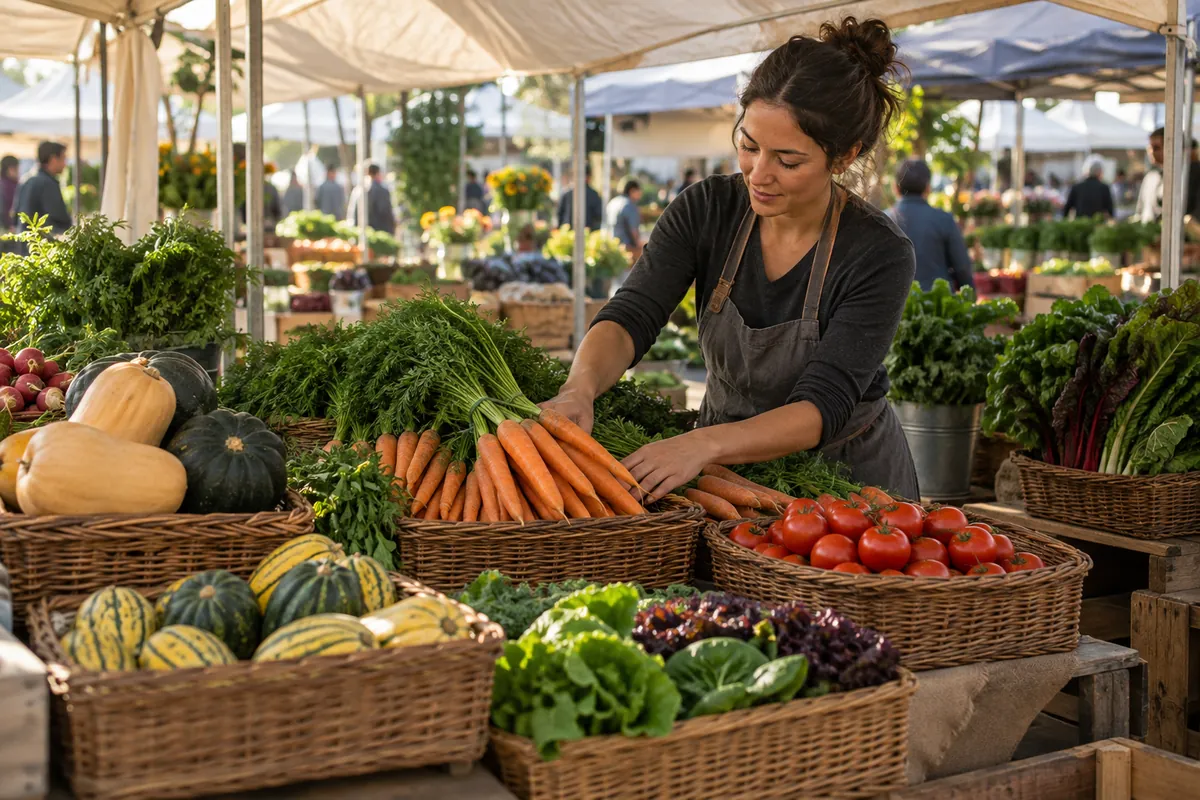
Illustrative supermarket produce display.
IllustrationCustomer path for SupermarketThe three priorities on this page drawn as a buyer’s path to its next step. It’s an illustration and isn’t a client journey.CUSTOMER PATHSupermarketFIRST QUESTIONA page and Google profile for everystoreDepartment hours kept apart fromstore hoursWeekly ads tied to the stores thatrun themNEXT STEP

See how I'd approach this

Choose a question
to look at with me.

A plan moving from scope to delivery and review01Define the scope02Build the work03Review the result
  1. Define the scope
  2. Build the work
  3. Review the result
A plan moving from scope to delivery and review

A shopper should be able to choose your supermarket before leaving the house. Which location has the bakery? Is the advertised price available at that store? Can they collect an order today? Our supermarket work covers store pages, local SEO, each Google Business Profile and ad campaigns.

We put those answers on each store's page and Google profile, in the same place every time, so a shopper who has used one store page can read them all. The gap we look for first is a change that reaches the website but never the profile, like holiday hours. We close it by updating both from one store list before anything else gets built.

Supermarket marketing questions

What does supermarket marketing cost for several stores?

Supermarket work is priced after the free strategy call, and the store count drives much of it, since each location needs its own page and profile. A first Jev scan of your domain costs nothing and covers up to 100 pages. Groups with larger sites can move to the $99 audit, which reads up to 3,000 pages and rewrites the opening of the weakest one.

Can you support supermarkets outside Indiana?

Yes, remotely. Each store's page is built from the hours, departments and photos that store sends us, so the work doesn't depend on our being nearby.

Do we need a new ecommerce platform?

Usually not. If your pickup or delivery ordering already works, we link each store page straight to it and leave it alone. A store finder, department pages and accurate weekly ads do most of the work for people shopping in the aisles.

How do several stores share content without losing local details?

Keep two lists. The shared one holds the brand, the weekly ad theme and photos any store can use. The store list holds each location's hours, departments and ordering link, and only that store's reviewer changes it. When a weekly ad runs at some stores only, its page names those stores.

Can you help promote a department rather than the whole supermarket?

Yes. Bakery, prepared food, produce, or another important department can be a focused starting point. We identify the customer's decision, verify the service details, and connect the page to the appropriate store or ordering route.

What do you need to prepare a proposal?

Send your website, store list, key departments, current promotional materials, and the systems used for product information and orders. We can then price a defined project around the part of shopping you want fixed first, such as pickup or department hours.

Does each supermarket location need its own Google Business Profile?

Yes, every store that serves shoppers in person should have its own profile with its own hours and phone number, linked to that store's page on your site. Pointing every profile at the home page makes a shopper hunt for their store all over again. We check that the name, address and phone agree between each profile and its store page.

How should department hours appear on a store page?

List them on their own lines whenever a department keeps a different schedule, like a pharmacy that closes before the store does. On Google Business Profile, the More hours section can carry some of these, such as pickup hours. A shopper who drives over at 8 pm for a prescription remembers which store had it wrong.

Should a store page name its town or just say Indianapolis?

Name the town the store is actually in. Beech Grove, Lawrence, Southport and the town of Speedway sit outside the consolidated city of Indianapolis and govern themselves, though their residents still pay countywide taxes and follow countywide ordinances. A shopper searching for groceries in Speedway should see Speedway on that store's page and profile, matching its mailing address.

What should a store page say while road work blocks the way in?

Post a short, dated access note at the top of that store's page and on its profile, then take it down when the work ends. IndyGo is building the Blue Line from 2025 to 2028 along a route that includes Washington Street, in 12 construction areas, so stores along it may see several phases. Update the note each time the open entrance changes.

Can Trojan Digital Marketing show results from Google Business Profile work?

We don't publish a supermarket-specific profile result. Jeff's documented Georgetown Market signage work was part of his role as Marketing Director and Assistant Store Manager, July 2023 to July 2025. Andrew Montieth later hired Trojan Digital Marketing for marketing; that engagement has no published result here. We'd judge store-page and profile changes using each location's own records.

Does Trojan Digital Marketing take on supermarket groups outside Indianapolis?

Yes. We're based in Indianapolis, our service area covers Marion County plus Carmel, Fishers, Noblesville and Greenwood, and groups in other states work with us remotely. Either way, each store page is built from that store's own hours and departments, whichever town it sits in, and the first strategy call is where you'd walk through the list of locations.

“I had a great experience working with Jeff…”
Heather DoanGoogle review
“…drove a noticeable uptick in leads within just a few weeks…”
Mike BamosiGoogle review

Based in Indianapolis, we serve businesses across central Indiana, including Carmel, Fishers, Zionsville, Westfield, Noblesville, Greenwood, Avon and Plainfield.

We also work with clients across the United States.

Read our Google reviews

What Marion County details affect a supermarket's store pages?

Marion County's self-governing towns and the Blue Line's long construction both change what an Indianapolis supermarket group's store pages need to say.

  • Four Marion County municipalities sit outside the consolidated city and still govern themselves: Beech Grove, Lawrence, Southport and the town of Speedway. Their residents still pay countywide taxes and fall under countywide ordinances.

    A store in one of them should use that town's name on its page and Google Business Profile, since that's the name nearby shoppers search.

    Encyclopedia of Indianapolis, Excluded CitiesChecked September 25, 2026
  • Indianapolis and Marion County share a consolidated city-county government called Unigov, in effect since January 1, 1970. It grew the city from 82 to 402 square miles.

    A store locator covering 402 square miles needs search by ZIP code or neighborhood, since one city name covers very different trips.

    Encyclopedia of Indianapolis, Structure of UnigovChecked September 25, 2026
  • IndyGo plans to open its Blue Line bus rapid transit in 2028. The 24-mile route will run from Indianapolis International Airport through downtown to Cumberland, using I-70, Holt Road and Washington Street, and IndyGo says construction runs from 2025 to 2028 across 12 construction areas.

    Stores along the route can post a dated access note on their page and profile while their segment is under work.

    IndyGo, Blue Line ConstructionChecked September 25, 2026
  • Marion County had 992,196 residents in 2025. It grew by 1,983 people that year, its smallest annual gain since 2021 and far below the 9,886 it added the year before.

    A group weighing a new location can set this beside the faster suburban counties before planning new store pages.

    Indiana Capital Chronicle, New estimates show Indianapolis area continues as key for state's population growthChecked September 25, 2026
  • In 2025 Hamilton County added 7,351 residents, the most of any Indiana county, and Boone and Hancock were the fastest-growing counties for the third straight year.

    Stores near a county line can name the neighboring towns on their pages, since growth is concentrated just outside Marion County.

    IU News, Indiana population estimates: Strong growth continued in 2025Checked September 25, 2026

Public facts from our research, checked September 25, 2026. Construction phases shift, so recheck access notes often. No supermarket clients are named or implied.

How does a supermarket group get every store page right?

An Indianapolis supermarket group gets its store pages right one location at a time, matching each page with that store's Google Business Profile before adding anything new.

  1. List every store as it really isGather each location's street address, main phone, store hours and every department that keeps its own schedule.Your team
  2. Match profiles to pagesWe compare each Google Business Profile with its store page and flags any name, address or phone that disagrees.Our team
  3. Separate department hoursPharmacy and pickup hours get their own lines wherever they differ from the store's hours.Our team
  4. Tie weekly ads to storesEach ad page names the participating stores and ends on the date merchandising sets.Together
  5. Check each profile monthlySomeone reviews each profile for suggested edits from the public and new reviews, then fixes anything that drifted.Together

What should each store send before its page goes live?

Store managers at a supermarket group in and around Indianapolis send accurate details once, then flag changes the day they happen.

  • The address exactly as it appears on mail, town name included
  • Store hours plus holiday closures for the year
  • Department phone numbers that ring the department itself
  • Pickup or delivery windows, if the store offers them
  • A contact who approves changes to that store's page
  • A store page template that keeps each location's facts separate
  • A link from each Google Business Profile to its own store page
  • Structured data naming each location on its own page
  • A spot at the top of each store page for temporary access changes

Give every store a clear role in the website

Give each part of the page a jobOfferEvidenceAction
Offer
Explain what the customer can get.
Evidence
Support the offer.
Action
Make the next step easy to use.
Give each part of the page a jobThe offer, evidence and contact route should work together on a small screen.

A supermarket website needs two levels of information. The brand explains why someone should shop with you. Each store page confirms what that specific location offers. Mixing those levels can advertise a service at the wrong branch or hide a useful department behind a corporate introduction.

We organize store pages around verified hours, contact details, directions, departments, collection arrangements, and current offers. A visitor who selects a store should keep that context when opening its specials or ordering options. The page should explain any change of location before the shopper commits to a journey.

  • Brand level: your identity, general shopping experience, and store finder.
  • Store level: actual services, operating information, and local contact route.
  • Department level: selection, ordering requirements, and relevant expertise.

One promotion, several departments, a usable shopping plan

Consider a hypothetical supermarket promoting a weekend family meal. Produce, meat, bakery, and prepared food each contribute an item. The website should help a shopper assemble the meal while keeping each price, quantity, and participating location clear. A single image of a crowded circular cannot answer all those questions on a phone.

Illustrative supermarket campaign workflow
Customer decisionWhat the page suppliesStore responsibility
Choose a location
Participating stores and department availability
Manager confirms the correct store list
Understand the offer
Item size, price basis, dates, and any purchase conditions
Merchandising approves the offer facts
Plan the meal
Related departments and practical serving suggestions
Staff checks that suggested items match the range
Shop or order
Directions or the actual ordering destination
Operations confirms the handoff works

The useful output is a maintained campaign page with readable offers and a clear store choice. After the promotion ends, expired prices come off the active shopping route. The broader department information stays useful for the next campaign.

Make local SEO match the store people will visit

Supermarket local SEO begins with dependable location information. We review the relationship between each store page and its Google Business Profile, including the website destination and real customer contact details. Department hours deserve separate attention when they differ from the supermarket's opening hours.

Read more

Google's local ranking guidance emphasizes complete, accurate business details. We use that foundation to make store information easier to maintain. Search placement also depends on factors beyond the agency's control.

Our Google Business Profile optimization and Google Maps and local pack SEO services can support a coordinated location review. A practical first improvement is often correcting the destination behind a listing so shoppers arrive on their selected store page.

Show the selection your data can support

Product discovery works best when the website knows which information is dependable. A department page can explain a usual range. An exact product listing needs a clear connection to the actual item. A claim about current availability needs a maintained source and a process for resolving discrepancies.

Read more

Google's store product guidance describes ways eligible merchants can surface inventory. We assess the store's systems before proposing a connection. Product feeds, manual collections, and delivery partner catalogs need an agreed owner and review process.

We also make distinctions visible to shoppers. Delivery selection may differ from the physical shelves. A bakery request may need staff confirmation. Clear wording at these decision points can prevent the website from creating expectations the store cannot meet.

Build supermarket SEO, AEO, and GEO around useful answers

Search engine optimization helps people discover relevant store and department pages. Answer engine optimization, or AEO, focuses the explanation around a question. Generative engine optimization, or GEO, applies that clarity to information that AI search systems may use. For supermarkets, the raw material is practical: pickup instructions, department services, ordering deadlines, and clear offer terms.

Read more

A bakery page might answer how to request a celebration cake and what information the team needs. A prepared food page might explain portion choices and collection arrangements supplied by the store. Those answers should lead directly to the relevant service.

Google's AI search guidance keeps established SEO practices central. Our SEO, AEO, and GEO service combines accessible pages with useful facts and relevant internal links. No separate label can guarantee an AI recommendation.

Make the screen and the shopping aisle feel connected

A supermarket's visual identity should survive the move between a small phone screen, an aisle sign, and a campaign display. We plan typography, department names, image crops, and offer hierarchy as a system. Staff should be able to recognize the same department in the website navigation and on the sales floor.

Jeff's Georgetown Market signage project, from his time as the store's marketing director, shows this design principle through photographed bilingual store signs. It is evidence of signage design work. A supermarket website engagement has its own scope, implementation, and measurement.

Connect campaigns to the evidence your stores collect

A report should help a supermarket team choose its next action. We separate store page visits, ordering clicks, directions requests, completed orders, and recorded offer redemptions. A directions action is useful intent data, but it is not a confirmed shopping trip or purchase.

Where reliable transaction information is available, we can compare campaign activity with the relevant store and department records. Stock changes, competing promotions, and operating changes remain part of the interpretation. The review should identify what the data supports and which customer questions still need better answers.

Turn your supermarket's selection into a reason to visit

Sources & further reading

Talk with Trojan Digital Marketing

Based in Indianapolis, we serve central Indiana and clients across the United States.

Describe the pack before explaining its price context

A supermarket product explanation needs to identify the pack being discussed. We can write from the size and package wording your store has approved before adding any price context.

A shopper may compare two descriptions that use the same product name but refer to different packs. The website can help by naming the actual package each passage describes. Our starting brief can identify the store-approved size wording and the place where a customer sees it. Staff decide which details belong together. We should not assume that a familiar brand name identifies every pack sold under that label.

Keep the pack description in ordinary reading order. If the store supplies both a count and a size, ask what each one describes before turning them into a heading. Our draft can retain the distinction the packaging makes. The same care applies to a shortened description in a product answer. It should still identify the pack the store intends, rather than leave the reader to supply a missing unit from memory.

  1. Locate the two descriptions Give us the public passages the shopper could compare. We can identify whether each one names a size, a count or an unresolved package reference.
  2. Obtain the approved pack wording Your team supplies the words it wants used for the actual product. Our draft can show that description beside the earlier version for staff to check.
  3. Keep uncertain details open If staff have not settled which package a passage describes, retain that question in the brief. We can write the confirmed part without guessing the rest.
  4. Name the staff answer route The store chooses who handles a shopper's question about pack identity. We can place that contact instruction beside the proposed explanation.
What if the label uses an unfamiliar abbreviation?
Ask staff to supply the meaning they approve for the public explanation. We can make that meaning readable without inventing a size or treating the abbreviation as proof of another package detail.
Should a product family share one pack description?
Only where your store confirms that the same wording applies. Our edit can preserve separate descriptions for different packs. A shared brand heading should not erase the package distinction the shopper needs.
What should staff supply when the pack name is shortened?
Ask the store to identify the full description behind that shorter name and approve where each version is used. Our draft can show both forms together. Readers should still know which pack the passage means when they see only the short answer. Staff can decide whether a nearby explanation is needed to preserve that meaning.

Give the store's price statement a stated meaning

A number needs the context your store intends customers to read with it. We can explain the approved price wording while leaving any unconfirmed offer terms for staff to answer.

Georgetown Market soup sign: SOUPS above SOPAS
Two soup-category names within the same sign. View the project

The sign's grouped wording offers a naming reference for a product explanation. We can keep the approved pack description close to the price statement it belongs with. A shopper should not have to infer the package from another section. Your supermarket supplies the meaning of the quoted amount and any stated conditions. Our draft can organize those words without adding an offer the store did not approve.

Ask staff whether the price statement concerns one identified pack or another approved purchase basis. The answer belongs in the brief before the public sentence is written. If a displayed figure lacks that explanation, we can flag the open question for the store. A readable heading alone cannot resolve it. The final text should use the store's approved meaning and identify where a shopper asks about anything still unclear.

Can we repeat a price from an earlier page?
Your store must confirm whether that statement still belongs in this product explanation. We can retain its quoted context while staff check it, but the public draft should not present an old figure as a newly approved offer.
What if the price meaning is still unsettled?
We can write the confirmed pack description and leave the price answer for staff. The customer contact can name that specific question. It should not imply that the website has settled the offer simply because the number is visible.
  • Our brief can show the exact phrase that describes the package beside the price wording staff supplied. The approver can then read them as one product statement.
  • The store should identify any nearby phrase that changes the meaning of the quoted amount. We can include that passage in the same approval conversation.
  • Give the shopper a plain contact instruction if present terms need a store answer. Our wording can name what question that contact receives.

Separate a size comparison from a current offer promise

Different pack descriptions can be compared without claiming a saving. We can explain the store-approved size distinction and ask staff to settle any statement about present price terms.

A shopper may want to know how two packs differ before asking the store about their prices. Our description can state the approved size wording for each pack and keep their identities clear. It should not conclude that one is a better purchase from an incomplete number. Any statement about savings or a current offer needs the store's approved explanation, with the relevant terms attached to the named pack.

Pack and price-context information
Pack detailStore statementMeaning to retain
Package identityStaff identify the exact product and package described. We can use the approved name in each comparison passage.The shopper can see which pack the words concern, even where products share a brand name.
Size wordingThe store supplies the size or count description it wants published. Our draft can explain the relationship between those details.A size comparison describes the package distinction. It does not by itself establish a price advantage.
Price basisStaff state what the quoted amount applies to and the terms they approve. We can place that meaning with the package description.The figure retains the store's stated context instead of becoming a broader offer by implication.
Open termsThe receiving team names the price question it still needs to answer. Our contact text can preserve that uncertainty.A customer knows what remains unsettled and where to request the store's current explanation.
Changed descriptionThe approver identifies which pack wording should replace an earlier statement. We can check its related public mentions.The correction changes the named description without inventing inventory or savings information.
Should we calculate a comparison from partial terms?
We should ask the store to supply the complete meaning it wants explained. Our writing can make an approved comparison readable, but it should not fill gaps in the package or price information with assumptions.
Can we use a phrase such as larger pack?
If staff confirm the comparison and approve that description, we can identify which two packs it concerns. Retain their actual names nearby. A relative phrase should not make the reader guess which package is being compared.

Give the unresolved product question its own contact purpose

A shopper may understand the pack but still need the store's answer about its terms. We can write that question route without making the contact receipt a completed product explanation.

The form should ask what the customer wants clarified about the named pack. A person may quote a size description or ask which package a price applies to. Our prompt can preserve those words and the product reference the store accepts. Staff then decide what information is missing. The receipt can describe the message that arrived while leaving the substantive product answer with the supermarket.

Keep the shopper's question distinct from any proposed correction. The customer may be reading the page accurately and still need another explanation. Our route can let them ask what the phrase means without requiring them to report an error. If staff later approve a correction, the website edit can follow that answer. The first message should not call the description wrong before the responsible team has considered it.

Hypothetical example A hypothetical supermarket discussing two pack descriptions

Before

  • Two public passages use similar names but do not clearly connect each quoted price with its pack.
  • A shopper's question is answered by assuming the older price applies to both packages.

After

  • The proposed explanation names each pack using the store-approved wording.
  • Any unresolved current terms are sent to the store's chosen recipient instead of becoming an assumed offer.
What should a shopper quote?
Your receiving team can choose the reference it accepts, such as the product name or the words on the page. We can explain that choice plainly and allow an incomplete description where staff approve it.
How do we reply before terms are checked?
Our suggested receipt can acknowledge the pack or price-context question and state the next contact your store approves. It should leave the answer pending. A received enquiry is not a confirmed current offer.
  • Keep the product wording the shopper quotes with the pack reference it concerns. Our draft can give both details a clear place in the first message, so staff do not have to guess which of two packages the person means.
  • Ask staff what they do if a customer only knows part of the pack description. We can explain that approved next contact beside the field, preserving the uncertain reference instead of forcing the shopper to choose an unsuitable package name.
  • The reply should state the store's actual answer about the named pack and its price context. Our receipt can leave that answer open while staff obtain the details they need. Any corrected public description should then follow the approved explanation.

Keep related product wording together on the page

Category designs show how a category can be named visibly. We can use that reference to discuss pack descriptions, then give the customer's question fields names that match their purpose.

Georgetown Market bilingual functional beverages department sign
Grouped beverage names on the sign design. View the project

That grouped treatment lets us discuss where related pack wording belongs. We can place the full approved package description near a shorter heading so a shopper can see their connection. If the store uses another accepted name in a product answer, explain the relationship nearby. The page should preserve the actual package distinction without making readers compare distant sections to work out what a price refers to.

W3C's forms guidance explains that labels should identify their controls. Our contact brief can give the pack reference a specific name and the wording question a separate one. Staff should approve what each field requests. A box called product details may be too broad if the office needs the phrase a shopper wants explained. We can write field help around that particular need.

  • Show the store-approved pack name where the shopper sees the price explanation. Our draft can keep the same identity through the contact heading.
  • Allow the person to describe the phrase they are asking about in their own words. We can avoid requiring a price conclusion just to send the question.
  • Keep the store's next contact visible after the form. The customer should know how an unresolved package reference is handled under the approved process.

Approve the wording as one complete product statement

The final explanation should match the pack and price context the store approved. We can check its shorter versions and question route before any changed wording becomes public.

The final check should cover the heading and its surrounding sentence together. A correct pack name may still sit beside an unapproved savings phrase. Our edit can show staff the complete statement, including the contact for unresolved terms. The store approves the product meaning it wants published. We can then maintain that wording without presenting an unchecked stock answer or a broader promotional claim.

Read any related short answer as a customer would after arriving from another page. It should identify the relevant package even if the reader never saw the longer explanation. Our draft can use a shorter approved name where it remains clear. If staff cannot confirm which pack a copied answer describes, leave that part with the approver until its meaning is settled.

  1. Check each named package We can compare the final public description with the store-approved wording and identify any unresolved variant that still needs an answer.
  2. Read the price context in place Staff should confirm that the quoted amount retains its actual meaning beside the pack. Our draft can remove wording that extends the offer.
  3. Follow a sample question Use an invented pack enquiry to check the heading and receipt. The receiving team should understand what the shopper is asking without a guessed price conclusion.
  4. Choose the next update owner The store names who supplies later changes to the product statement. We can maintain the relevant passage from that approved instruction.
What completes this writing task?
The store has approved the named pack description, the price context it wants published and the route for unresolved questions. Our handoff can identify those passages and leave any unconfirmed terms with the responsible team.
What happens when a package description changes?
Your staff identify the changed product and supply the wording they approve. We can check its related headings and answers for the same identity correction. Any new price statement should receive its own store answer.

Sources

From the businesses we've worked with

“I appreciate the help, and he did a good job.”

Explore Supermarket campaign plans by market

Compare local planning resources before choosing the services and customers you'd like your campaign to reach.