Need help?Jamie

Garrison microsite software

Garrison Tampa HVAC Microsites for Owned Service Inquiries

Your phones get busy in Tampa, and right now you can't tell whether a caller wants a repair today or a price on a whole new system.

Trojan, which keeps more than 1,400 websites live, builds Garrison HVAC microsites for heating and air companies in Tampa, Florida, sending repair calls to dispatch and system replacement requests to whoever sells equipment. It's for the owner who says, "My techs field sales questions all day while my salesperson takes broken-unit calls." Each route follows the phones your office already runs.

Powered by Garrison, Trojan’s microsite software. Useful branded websites and direct inquiries for the markets your team serves.

Note which phone should ring for a repair and which inbox should get a replacement request. The first strategy call is free, and during business hours we aim to reply within five minutes.

  • Repair calls and replacement requests kept apart
  • Maintenance plan sign-ups routed to your office
  • Your license number printed as issued

Jeff Clerisier, who has done freelance web work since 2016 and started Trojan in March 2018, reads search data month by month. Searches that surfaced the Google profile of a local Indianapolis-area business climbed to 2,087 in August 2026, a 118.8% rise over August 2025, and he'd judge a Tampa HVAC network the same way, each month against the same month a year earlier.

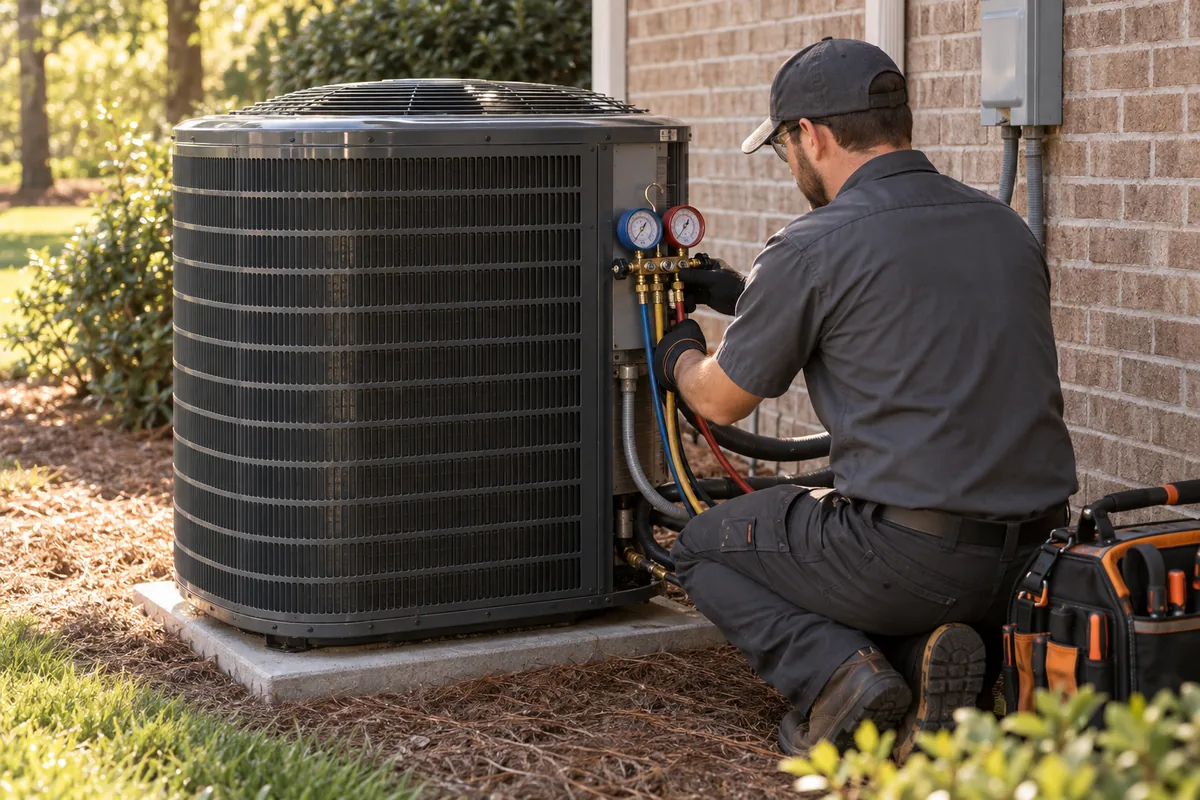
Illustrative business scene: illustration of heating and cooling equipment representing marketing for HVAC contractors
IllustrationProposed HVAC site networkBranded resources for areas of this market, each sending inquiries straight to your team. The sites shown are a proposed plan and aren’t live.PROPOSED SITE NETWORKWestshoreDowntownYbor CityChannelDistrictWest TampaYOUR TEAM

BEFORE ANOTHER DOMAIN

Does a microsite fit?

A microsite fits only when it has a clear job and someone to keep it useful, so check what your business already has.

Select the foundations you have in place to explore a practical starting point.

Discuss my lead strategyExplore work on your main website

SEE HOW THE PIECES CONNECT

Explore the decisions
behind the plan.

THE TROJAN SYSTEMOWNERSHIP
Your brand connected to the lead journeyDiscoveryYour pagesInquiriesFollow upYOUR BRAND
  1. Discovery through your branded pages
  2. Inquiries reach your business
  3. Your team follows up
Your brand connected to the lead journey

Questions about HVAC microsites in Tampa, Florida

How is a Tampa HVAC microsite network priced?

It's priced after the free strategy call. Trojan's published membership prices are for roofing and water restoration networks, so heating and air is sized separately, around the number of Tampa-area communities on your list and the phone routes your office runs. Nothing is owed for the call itself, and you're free to stop there.

Do you have HVAC results from these sites?

Not yet, and borrowing roofing numbers wouldn't tell you anything useful about heating and air calls. The Garrison counts Trojan publishes all come from Indiana networks in other trades. If you start a Tampa network, its count begins the day the first site goes live, using the same rule, where calls and form fills count and missed calls don't.

Can my dispatcher and my salesperson get different requests?

Yes. When I set up routing for a heating and air office, the repair page's call button rings dispatch and the replacement form goes to whoever quotes new systems, so neither person sorts the other's messages. We test each route during onboarding, and if your office later changes who handles what, I'll move the route.

What goes on a maintenance plan page?

Only the perks you already honor, in the words your invoices use. I ask for your plan terms before I write that page, so if the plan includes two visits a year and priority scheduling, the page says exactly that and lets a homeowner ask to join. I send sign-up requests to whoever manages agreements, away from the repair line.

Will the sites talk about Tampa heat and humidity?

Not until the details are checked. Trojan hasn't confirmed Tampa weather figures or Florida equipment rules at a source yet, so the sites won't cite them. What they can do from day one is describe the calls your techs actually run in Tampa homes, in your own words, which usually reads truer to a homeowner than a statistic.

What if my company only does residential work?

Then the sites say that plainly and skip commercial pages entirely. A Tampa homeowner gets pages about the equipment you service in houses, and a property manager who lands there sees right away that you aren't the right call, which spares your dispatcher a conversation that was never going anywhere.

Which Tampa HVAC request lands with which person?

Tampa HVAC microsites can send each kind of request to a different person, and this table shows one way a heating and air office might split them.

Request typePage it starts onWho gets it
System stopped working
A repair page with a call button
Dispatch
Price on a new system
A replacement page with a short form
Your salesperson or comfort advisor
Joining a maintenance plan
A plan page with a sign-up request
Whoever manages agreements
Duct cleaning or air quality question
A page for that service, if you offer it
Your service manager

What does a Tampa HVAC office decide before its sites are written?

A Tampa HVAC microsite network mirrors how your office really works, so your team makes these calls before Trojan writes a single page.

  • Which equipment brands you install and service
  • Whether you take commercial jobs at all
  • What your maintenance plan actually includes
  • Which phone number rings for repairs
  • Where replacement requests should land
  • Your license number, copied from the license
  • Separate repair and replacement pages on each site
  • A call route for each phone number you name
  • Routing and tracking tested during onboarding
  • Local articles written for each community site

Give different HVAC requests different explanations

An HVAC company may receive inquiries about planned maintenance, an existing equipment problem and a possible replacement. These requests require different information and may reach different people. Trojan's Tampa HVAC microsite service starts by making those distinctions visible, then deciding whether a focused site serves a useful audience beyond the company's main website.

The product is a marketing website and content system. Trojan does not install equipment, diagnose a building or dispatch technicians. The HVAC company supplies and approves its actual services, capabilities and contact process. The public site should identify the provider clearly so a visitor understands who will receive the inquiry.

Define control of the website and the inquiry route

Give each part of the page a jobOfferEvidenceAction
Offer
Explain what the customer can get.
Evidence
Support the offer.
Action
Make the next step easy to use.
Give each part of the page a jobThe offer, evidence and contact route should work together on a small screen.

A project scope should explain who controls the domain registration, hosting, content and measurement accounts. It should identify rights to photographs and the portability of approved content. The business should also understand what happens to inquiry records and contact routing if the marketing arrangement changes.

An own your leads strategy needs those practical details. A direct route can connect the visitor with the HVAC company's approved system while keeping the customer relationship under that business's process. Ownership does not establish lead volume, service acceptance or a completed sale. We define the asset and work, then measure the activity and project fit it supports.

An illustrative Westshore commercial HVAC resource

Westshore Alliance describes commercial offices and hotels in Tampa. That supports a proposed commercial information scenario, not a claim about equipment conditions or existing client results. Imagine an HVAC business that genuinely accepts selected commercial maintenance and replacement discussions and wants a resource for property contacts.

Property contact's needUseful microsite pageInformation for review
Discuss planned maintenance
Actual maintenance scope and review process
Building use and current service arrangement
Ask about an equipment concern
Accurate service contact information
A description of the request through the approved route
Plan possible replacement
The provider's assessment and planning process
Project goals and the responsible contact

The company confirms its capabilities. The site should not promise a response time, diagnose a system or estimate energy savings without appropriate evidence and context.

Create useful pages rather than repeated district shells

A focused HVAC resource may include a commercial service overview, maintenance questions, replacement planning information and approved examples of actual work. A guide can explain what a property manager should prepare for a discussion. An interactive request checklist can help organize that information without pretending to select equipment or calculate a binding quotation.

Trojan reviews whether each page has a separate role and whether the content belongs on the main domain instead. Google's doorway policy addresses sites used mainly as similar search funnels. A useful microsite needs a coherent destination, transparent business identity and original information that a customer can actually use.

Use organic and paid discovery with a consistent offer

Organic leads may begin with a maintenance question or a planning guide discovered through unpaid search. Paid traffic can reach the microsite when the advertisement and page describe the same real service. Purchased inquiries involve a separate agreement and should not be mixed into the website's organic results.

Compounding leads is a conditional goal for a maintained content asset, not an automatic result of publishing more pages. The information may continue supporting discovery, but search visibility, service demand and capacity change. Trojan can plan SEO, AEO and GEO information around accurate business facts and useful answers without promising AI citations, local placement or a particular number of HVAC requests.

Route inquiries according to the service process

An initial form can distinguish a planned maintenance discussion from a replacement project inquiry or another accepted request. The provider decides what information is needed. A customer should not be required to diagnose equipment or provide a technical specification they do not know just to make contact.

Read more

Trojan can document and test the handoff to the approved business destination. The completion message should accurately state that an inquiry was received when that is all the system confirms. It should not imply a booked technician, accepted contract or confirmed price. If the business uses different contacts for current customers and new projects, the site can make those routes clear without creating unnecessary friction.

Maintain the service facts and review commercial fit

HVAC information needs review when services, product ranges, team responsibilities or credentials change. Approved project photographs should have accurate captions and appropriate permissions. Technical claims should remain tied to the evidence supplied by the company rather than being expanded by automated copy.

Measurement can distinguish relevant search activity, page actions, suitable inquiries and outcomes the business can verify. The HVAC lead generation overview and Tampa ownership comparison explain the evaluation. Bring your actual service scope and inquiry process to Trojan. A planning discussion can determine whether a microsite adds a useful resource and what evidence, maintenance and routing it would require.

Sources & further reading

YOUR NEXT MOVE

Make the next step count.

The week the lights come back and every condenser restarts

After a big storm, the rush often lands when power returns and a system won't start. A restart page with your dispatch number catches that rush on sites you own.

Picture day four after a storm like that. A family gets power back, the thermostat clicks and the house stays hot. Someone grabs a phone and searches for AC repair. Whatever page they land on decides who they call. If it's a lead form on a site they've never heard of, three companies may ring them within minutes and the fastest talker wins. If it's your restart page, they read a short note your techs wrote and tap a button that rings your dispatcher, and nobody else hears about that job.

Hypothetical example A Tampa HVAC company's restart page, before and after a storm-week rewrite

Before

  • A homepage slider still selling a spring tune-up special.
  • A contact form that promises a reply soon, with no hours listed anywhere.
  • No mention of the storm, so visitors can't tell if the company is even open.

After

  • A top line saying the office is taking restart calls, with the hours it will really keep this week.
  • A short list the techs wrote on what a homeowner can safely check before calling.
  • One call button that rings dispatch, plus a form for anyone happy to wait for a callback.
  • A dated note at the top, so every visitor knows the page is current.

Storm pages your office signs off on before the first watch

Write the storm pages while the Gulf is calm, so each town site knows what to show at every stage. Storm week is no time to be drafting web copy.

Storm stages and what each Tampa town site shows at each one
Storm stageTop of every town siteWhat moves down the page
A watch is postedA short note with the hours your office will really keep and the number that rings dispatch.Tune-up specials and plan sign-up pitches, which feel out of place with a storm on the map.
LandfallA plain line saying calls get returned once crews can drive safely, and 911 for anyone in danger.Everything except the phone number and that one note.
Power comes backThe restart page, with the checks a homeowner can safely make and a button that rings dispatch.Replacement financing and comfort upgrade pages, until the restart rush slows.
Cleanup weeksA dated recovery note explaining the order callbacks go in, plus a form for anyone who can wait.Storm safety tips that no longer fit, now that the lights are on.
Season's overMaintenance renewals and pre-season tune-ups, back where they were.Every storm note, so a January visitor never finds a stale warning.

The week a storm arrives is the worst week to start writing. Your office is boarding windows and moving installs, and nobody has a spare minute to read web copy. With the storm pages already written and approved, the job shrinks to swapping what sits at the top of each site and test-calling the route. We handle that part while your team handles everything else.

HVAC has a wrinkle the other trades don't. If your maintenance plan promises members priority, a storm week is when they'll test it. If your office really moves members up the callback list, the storm note can say so, with a line telling members to mention the plan when they call. If that promise bends once every phone lights up, leave it off the sites. A member who reads 'priority' and then waits three days won't be renewing in March.

Florida wants your license number wherever you advertise

Show your Florida license number on every microsite page that offers HVAC work. State law ties that number to ads, bids and offers in any medium, so we treat each site as an ad.

Here's why that matters more on a network than on one website. A single site has one footer. A handful of town sites means a handful of footers, contact pages and service pages. Each one is a spot where the number can go missing or pick up a typo. When we set up a Tampa network, we keep your license details in one place in our build notes and check every site against them before anything goes live.

The rule comes with teeth, though gentle ones at first. The state board sends a notice of noncompliance for a first miss. If the number still isn't there 30 days later, or it happens again, a fine or a citation can follow. Nobody wants that letter because a web page forgot its footer.

  1. The footer of every site Right beside your company name, spelled the way it reads on the license. It's the first place a careful homeowner looks before calling a stranger.
  2. Next to each call button Repair, replacement and maintenance pages each carry the number near the button, so a screenshot of any page still shows it.
  3. The about page, with the license holder named Name the person or company the license belongs to and the class it covers. We copy both from the paper you send us, word for word.
  4. Every ad that points to a site Search ads, social posts and mailers that send people to your sites get the number too. We'd check each one against the license before it runs.
  5. Photos of your vans If a site shows a wrapped truck, the number on the wrap should be sharp enough to read. A blurry van photo is an easy fix before launch and an awkward one after.

Your own plan members search for AC repair too

A plan member whose system quits may grab a phone and search before anyone checks the sticker on the unit. A town site that answers that search keeps the call inside your company.

Hypothetical example Two restart calls on the same Tuesday, one resold by a lead service and one from a plan member who found a town site

Before

  • A homeowner searches for AC repair, fills out a form on a lead site and waits.
  • The service passes the request along to several companies, and your phone rings in the same breath as theirs.
  • Your CSR calls back fourth, and the homeowner has already booked someone else.
  • Depending on the service's terms, you may still owe for that lead.

After

  • A plan member in Seminole Heights types the same words and lands on your town site for that part of Tampa.
  • She taps the call button and reaches your dispatcher, who spots her name on the member list.
  • Nobody else hears about the job, and your log shows the site and page she started on.

We won't pretend shared leads are useless. On a slow week they can fill gaps, and some offices keep a little of both. The part that stings is paying to compete for a household that already belongs to you. Stickers fade in the Florida sun, and a hot family reaches for the fastest search result long before they think to walk outside and check the unit.

Owned sites are slower to build and they don't flip on like a faucet. What you get in return is a channel that sends callers to your number and tells you where each one came from. That's the part we care about, and it's why we'd rather set honest expectations than promise a windfall.

Class A or Class B changes what a page can offer

Tell us which air conditioning license class you hold, and we'll keep commercial pages inside it. Florida's Class B license stops at 25 tons of cooling in any one system.

Florida air conditioning license classes and how a microsite should word each one
License classWhat Florida's definition coversHow the site should talk about it
Class AUnlimited work installing, repairing and designing central air, heating, refrigeration and ventilating systems, duct work included.Commercial pages can describe larger systems, as long as your crews really take those jobs.
Class BThe same kinds of work, limited to 25 tons of cooling and 500,000 Btu of heating in any one system.Home pages and light commercial pages fit. Leave out rooftop pages that hint at bigger systems.
Class CNo new Class C licenses since October 1, 1988, though the board still regulates holders from before then.If you hold one, we'd word each page around what it allows and ask you to confirm it line by line.

We ask for your license class before we write a single commercial sentence, because sites drift when nobody asks. A writer adds 'rooftop units of any size' because it sounds impressive, and suddenly a Class B shop is advertising work its license doesn't cover. On your sites, the commercial page describes the small offices and storefront shops you already serve, sized to what your license allows. If you hold Class A and like big jobs, we'll say that plainly instead.

The auto-reply a hot family reads after your office closes

A form reply sent after closing should name the hour your office opens and who calls back first. Anything vaguer leaves a hot family guessing until breakfast.

Illustrative example The reply a homeowner sees after sending a repair form late at night during storm week

Before

  • Thank you! Your request has been received and a technician will be dispatched shortly.
  • No hours, no name, and nothing about what to do if the house gets unsafe overnight.

After

  • Thanks, we've got your request. Our office opens at 7 a.m., and requests are called back in the order they arrived.
  • If anyone in the home is struggling with the heat tonight, please call 911 rather than waiting on us.
  • Want to be first in line? Call the number below when the office opens and mention this request.

That before version looks friendly, but it promises a truck nobody has scheduled. A homeowner reads 'dispatched shortly' at 11 p.m. and sits up waiting. By morning they've called two other companies, and they're annoyed with you before you've said a word. The after version is less exciting and far kinder, because it tells the family when the clock starts and where to turn if the night gets dangerous.

We write these replies with your office manager, because only your office knows when the phones really open and who calls back. Then we copy the same wording to every town site, so a request from Downtown and one from the Channel District get the same answer. If your hours change for storm week, the reply changes with them, and we'd check it on each site after the edit.

  • Say who will call back, even if it's just 'our office team'.
  • Give the hour the office opens, and leave out any promise about a truck.
  • Point real emergencies to 911, in plain words near the top.
  • Repeat the call button, since some people would rather call than wait.
  • Keep the reply identical on every town site, so no site promises more than another.

Emergency pricing words Florida would rather you skip

Florida bars grossly inflated prices during a declared state of emergency. Your storm pages should explain how pricing works and leave surge talk out entirely.

Can our storm page mention prices at all?
Yes, if they match what you charged before the emergency, or if you can point to a real added cost. We'd rather the page explain how pricing works: a service visit first, then a price from your tech before any repair starts. That reads calmer than a number anyway.
What about a storm special banner?
We'd skip it. A storm discount can make people wonder what the normal price was, and a storm surcharge looks worse. Keep the banner about hours and how calls are handled, which is what someone in a hot house wants to know first.
Who decides the final wording?
You do, with your own lawyer if a question feels close. We write drafts in plain words and flag anything that sounds like a price change. Nothing about storm pricing goes live on your sites until your office signs off on it.
Can we keep running our maintenance plan promotion during a storm?
We'd pause it until the recovery rush settles. A sign-up pitch beside a restart page feels tone deaf to someone sweating in a dark kitchen. Bring it back once the calls slow down, and it'll land with people who are ready to hear it.

There's a business case here too, apart from the law. Storm weeks create customers who remember. The homeowner you treated fairly in October is the one who signs up for your maintenance plan in March and tells the neighbors who to call. A storm page that sounds like a sales pitch spends that goodwill fast. A plain page with your hours and your number keeps it in the bank.

Tracking numbers that record calls need a hello that asks first

Florida requires every party's consent before a call is recorded. If the numbers on your sites record calls, each call should open with a short notice.

Recordings can teach an HVAC office a lot. You can hear how your CSRs handle a call about warm air blowing from the vents, and which callers really want a replacement price. We'd set up the site numbers so you can see which town site each call came from. Whether those calls get recorded is your choice, and in Florida that choice comes with a rule attached.

There's one more wrinkle worth planning for. Some callers will be landlords or part-time residents phoning from numbers with out-of-state area codes, and your CSR has no idea where they're sitting. One notice on every line covers all of them, which beats guessing caller by caller.

  1. Decide if you need recordings Plenty of offices only need call counts and caller ID. If nobody will listen to the recordings, skip them and skip the notice.
  2. Write the notice in one breath Something like: thanks for calling, this call may be recorded so we can train our team. Short enough that a caller with a hot house doesn't hang up.
  3. Play it on every site number One town site with the notice and one without is how mistakes happen. Every number gets the same greeting.
  4. Test from a cell phone Call each number yourself and listen to the full greeting before launch. We'd do the same on our end.
  5. Tell your team where recordings live Decide who can listen and how long you keep them. Write that down somewhere your office manager can find it.

A scorecard for Tampa sites that storm months can't fool

Mark storm weeks in your call log before you compare months. A September with a hurricane and a quiet September say very different things about your sites.

  • The date, plus a note if a storm watch, landfall or outage was in play that week.
  • Which town site and which page the call or form started on.
  • Whether it was a repair, a replacement price, a maintenance plan question or something else.
  • Answered or missed, so a staffing gap doesn't get blamed on the website.
  • Booked or not, and why not, in a few words your CSR can type in five seconds.
  • For replacements, whether your comfort advisor got a visit on the calendar.

A quick word about where we sit. We run Trojan from Indianapolis. Jeff did spend 2018 through 2021 doing marketing in Florida, over on the Atlantic coast in West Palm Beach. The Gulf side is new ground for us, and we won't fake a local accent. What we bring is the setup: town sites that stay accurate and a call log you can read without a decoder ring. Counting client sites and our own projects together, Jeff keeps an eye on more than 1,400 live websites, and he reads these logs himself.

How soon will we know if the Tampa sites are working?
Nobody can honestly put a date on that, us included. Some sites stay quiet because few people in that area search, or because another company already holds those results. What we can do is show you each site's calls month by month, so you can judge it with your own eyes.
Do storm months count toward the results?
They count, and they get a label. A hurricane can flood the phones one week and wipe out a whole week of installs the next. With storm weeks marked, you can compare a normal month with a normal month and see what the sites do on their own.
Will you tell us if a site isn't pulling its weight?
Yes. If a town site stays quiet, we'd rather talk about it than hide it in a chart. Sometimes the fix is better pages, and sometimes that town just isn't worth a site yet.
What if our own office misses a lot of calls?
Then the log will show it, and you'll be glad it did. Missed calls are the cheapest jobs to win back, because the homeowner already picked you once. Some offices add a quick callback rule for storm weeks, and the log tells you if it's working.

Sources